Category: three.js
-
FPS
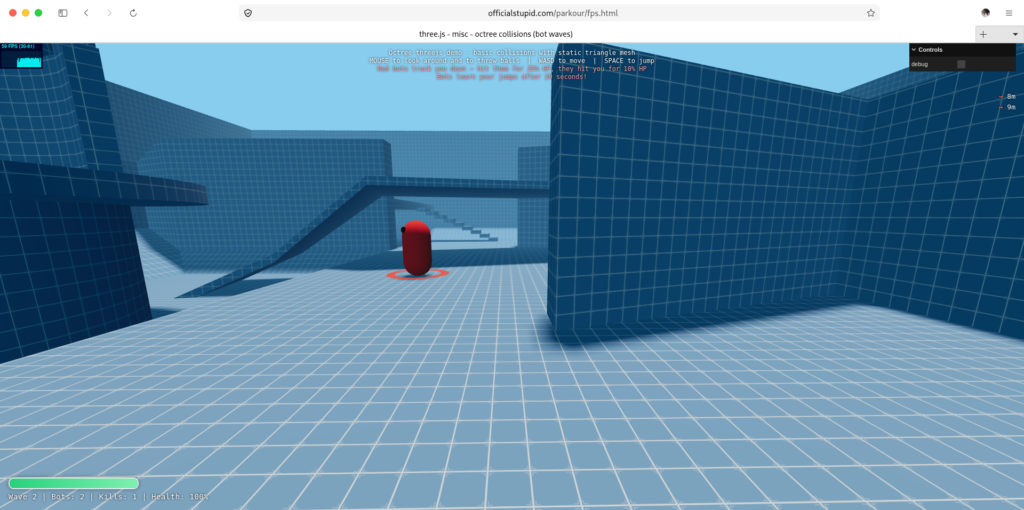
https://officialstupid.com/parkour/fps.html
testing base on – https://threejs.org/examples/
<!DOCTYPE html> <html lang="en"> <head> <title>three.js - misc - octree collisions (bot waves)</title> <meta charset="utf-8" /> <meta name="viewport" content="width=device-width, user-scalable=no, minimum-scale=1.0, maximum-scale=1.0"> <link rel="stylesheet" href="https://cdn.jsdelivr.net/npm/three@0.180.0/examples/main.css"> <style> body { margin: 0; overflow: hidden; background: #88ccee; } #info { position: absolute; top: 0; width: 100%; padding: 10px; box-sizing: border-box; text-align: center; font-family: monospace; color: #fff; text-shadow: 0 0 4px #000; pointer-events: none; z-index: 1; } #hud { position: absolute; bottom: 16px; left: 16px; font-family: monospace; color: #fff; text-shadow: 0 0 4px #000; pointer-events: none; z-index: 2; } #healthBar { width: 240px; height: 18px; border: 2px solid rgba(255,255,255,0.85); border-radius: 10px; overflow: hidden; background: rgba(0,0,0,0.35); box-shadow: 0 0 8px rgba(0,0,0,0.4); } #healthFill { height: 100%; width: 100%; background: linear-gradient(90deg, #28d17c, #7ef0b0); transition: width 0.12s linear, background 0.2s linear; } #hudText { margin-top: 6px; font-size: 14px; letter-spacing: 0.5px; } #damageFlash { position: absolute; inset: 0; z-index: 3; pointer-events: none; background: radial-gradient(circle at center, rgba(255,0,0,0) 35%, rgba(255,0,0,0.75) 100%); opacity: 0; } #waveMsg { position: absolute; top: 28%; left: 0; width: 100%; text-align: center; font-family: monospace; color: #fff; text-shadow: 0 0 12px #000, 0 0 4px #000; font-size: 42px; letter-spacing: 3px; font-weight: bold; opacity: 0; transition: opacity 0.4s ease; pointer-events: none; z-index: 4; } #gameOver { position: absolute; inset: 0; z-index: 5; display: none; align-items: center; justify-content: center; background: rgba(0,0,0,0.65); font-family: monospace; color: #fff; text-align: center; } #gameOver h1 { font-size: 52px; margin: 0 0 12px 0; letter-spacing: 4px; color: #ff5a4a; text-shadow: 0 0 18px rgba(255,80,60,0.8); } #gameOver p { font-size: 22px; margin: 6px 0; letter-spacing: 2px; } #gameOver .restart { margin-top: 22px; font-size: 16px; opacity: 0.8; } #botTracker { position: absolute; top: 90px; right: 16px; font-family: monospace; color: #fff; text-shadow: 0 0 4px #000; font-size: 13px; text-align: right; pointer-events: none; z-index: 2; line-height: 1.5em; } #botTracker .arrow { display: inline-block; color: #ff5a4a; font-weight: bold; } #botTracker .near { color: #ffd24a; font-weight: bold; } </style> </head> <body> <div id="info"> Octree threejs demo - basic collisions with static triangle mesh<br /> MOUSE to look around and to throw balls | WASD to move | SPACE to jump<br/> <span style="color:#ff9c9c">Red bots track you down — hit them for 25% HP, they hit you for 10% HP<br/> Bots learn your jumps after 20 seconds!</span> </div> <div id="hud"> <div id="healthBar"><div id="healthFill"></div></div> <div id="hudText">Wave 0 | Bots: 0 | Kills: 0 | Health: 100%</div> </div> <div id="botTracker"></div> <div id="damageFlash"></div> <div id="waveMsg"></div> <div id="gameOver"> <div> <h1>GAME OVER</h1> <p id="finalKills">Total Kills: 0</p> <p class="restart">Press R to restart</p> </div> </div> <div id="container"></div> <script type="importmap"> { "imports": { "three": "https://cdn.jsdelivr.net/npm/three@0.180.0/build/three.module.js", "three/addons/": "https://cdn.jsdelivr.net/npm/three@0.180.0/examples/jsm/" } } </script> <script type="module"> import * as THREE from 'three'; import Stats from 'three/addons/libs/stats.module.js'; import { GLTFLoader } from 'three/addons/loaders/GLTFLoader.js'; import { Octree } from 'three/addons/math/Octree.js'; import { OctreeHelper } from 'three/addons/helpers/OctreeHelper.js'; import { Capsule } from 'three/addons/math/Capsule.js'; import { GUI } from 'three/addons/libs/lil-gui.module.min.js'; const MODEL_URL = 'https://cdn.jsdelivr.net/gh/mrdoob/three.js@r180/examples/models/gltf/collision-world.glb'; const timer = new THREE.Timer(); timer.connect( document ); const scene = new THREE.Scene(); scene.background = new THREE.Color( 0x88ccee ); scene.fog = new THREE.Fog( 0x88ccee, 0, 50 ); const camera = new THREE.PerspectiveCamera( 70, window.innerWidth / window.innerHeight, 0.1, 1000 ); camera.rotation.order = 'YXZ'; const fillLight1 = new THREE.HemisphereLight( 0x8dc1de, 0x00668d, 1.5 ); fillLight1.position.set( 2, 1, 1 ); scene.add( fillLight1 ); const directionalLight = new THREE.DirectionalLight( 0xffffff, 2.5 ); directionalLight.position.set( - 5, 25, - 1 ); directionalLight.castShadow = true; directionalLight.shadow.camera.near = 0.01; directionalLight.shadow.camera.far = 500; directionalLight.shadow.camera.right = 30; directionalLight.shadow.camera.left = - 30; directionalLight.shadow.camera.top = 30; directionalLight.shadow.camera.bottom = - 30; directionalLight.shadow.mapSize.width = 1024; directionalLight.shadow.mapSize.height = 1024; directionalLight.shadow.radius = 4; directionalLight.shadow.bias = - 0.00006; scene.add( directionalLight ); const container = document.getElementById( 'container' ); const renderer = new THREE.WebGLRenderer( { antialias: true } ); renderer.setPixelRatio( window.devicePixelRatio ); renderer.setSize( window.innerWidth, window.innerHeight ); renderer.setAnimationLoop( animate ); renderer.shadowMap.enabled = true; renderer.shadowMap.type = THREE.VSMShadowMap; renderer.toneMapping = THREE.ACESFilmicToneMapping; container.appendChild( renderer.domElement ); const stats = new Stats(); stats.domElement.style.position = 'absolute'; stats.domElement.style.top = '0px'; container.appendChild( stats.domElement ); const GRAVITY = 30; const NUM_SPHERES = 40; const SPHERE_RADIUS = 0.2; const STEPS_PER_FRAME = 5; const PLAYER_BALL_LIFE = 1.5; const ENEMY_BALL_LIFE = 1.5; const sphereGeometry = new THREE.IcosahedronGeometry( SPHERE_RADIUS, 5 ); const sphereMaterial = new THREE.MeshLambertMaterial( { color: 0xdede8d } ); const spheres = []; let sphereIdx = 0; for ( let i = 0; i < NUM_SPHERES; i ++ ) { const sphere = new THREE.Mesh( sphereGeometry, sphereMaterial ); sphere.castShadow = true; sphere.receiveShadow = true; scene.add( sphere ); spheres.push( { mesh: sphere, collider: new THREE.Sphere( new THREE.Vector3( 0, - 100, 0 ), SPHERE_RADIUS ), velocity: new THREE.Vector3(), life: 0 } ); } function recyclePlayerBall( sphere ) { sphere.collider.center.set( 0, - 1000, 0 ); sphere.velocity.set( 0, 0, 0 ); sphere.mesh.position.copy( sphere.collider.center ); sphere.life = 0; } const worldOctree = new Octree(); const playerCollider = new Capsule( new THREE.Vector3( 0, 0.35, 0 ), new THREE.Vector3( 0, 1, 0 ), 0.35 ); const playerVelocity = new THREE.Vector3(); const playerDirection = new THREE.Vector3(); let playerOnFloor = false; let mouseTime = 0; const keyStates = {}; const vector1 = new THREE.Vector3(); const vector2 = new THREE.Vector3(); const vector3 = new THREE.Vector3(); /* ---------------- GAME STATE ---------------- */ const PLAYER_MAX_HEALTH = 100; const PLAYER_HIT_DAMAGE = 10; const BOT_HIT_DAMAGE = 25; const BOT_MAX_HEALTH = 100; const BOT_RADIUS = 0.35; const BOT_HEIGHT = 0.65; // Bots spawn a bit away so it's not instant chaos, but still close. const BOT_SPAWN_MIN_DIST = 7; const BOT_SPAWN_MAX_DIST = 11; const JUMP_LEARN_DELAY = 20; const PLAYER_JUMP_MEMORY = 0.9; let playerHealth = PLAYER_MAX_HEALTH; let playerInvuln = 0; let totalKills = 0; let wave = 0; let gameOver = false; let matchTime = 0; let lastPlayerJumpTime = - 999; const bots = []; const healthFill = document.getElementById( 'healthFill' ); const hudText = document.getElementById( 'hudText' ); const damageFlashEl = document.getElementById( 'damageFlash' ); const waveMsgEl = document.getElementById( 'waveMsg' ); const gameOverEl = document.getElementById( 'gameOver' ); const finalKillsEl = document.getElementById( 'finalKills' ); const botTrackerEl = document.getElementById( 'botTracker' ); let flashTimeout = null; let waveMsgTimeout = null; function updateHUD() { const pct = Math.max( 0, playerHealth ) / PLAYER_MAX_HEALTH * 100; healthFill.style.width = pct + '%'; healthFill.style.background = pct > 60 ? 'linear-gradient(90deg,#28d17c,#7ef0b0)' : pct > 30 ? 'linear-gradient(90deg,#e8c341,#f7e07a)' : 'linear-gradient(90deg,#d13a2e,#ff7b6b)'; hudText.textContent = `Wave ${ wave } | Bots: ${ bots.length } | Kills: ${ totalKills } | Health: ${ Math.round( pct ) }%`; } function flashDamage() { damageFlashEl.style.transition = 'none'; damageFlashEl.style.opacity = '0.9'; if ( flashTimeout ) clearTimeout( flashTimeout ); flashTimeout = setTimeout( () => { damageFlashEl.style.transition = 'opacity 0.45s ease-out'; damageFlashEl.style.opacity = '0'; }, 40 ); } function showWaveMessage( text ) { waveMsgEl.textContent = text; waveMsgEl.style.transition = 'none'; waveMsgEl.style.opacity = '1'; if ( waveMsgTimeout ) clearTimeout( waveMsgTimeout ); waveMsgTimeout = setTimeout( () => { waveMsgEl.style.transition = 'opacity 0.8s ease'; waveMsgEl.style.opacity = '0'; }, 1200 ); } /* ---------------- ENEMY BALLS ---------------- */ const ENEMY_BALL_COUNT = 40; const enemyBallGeometry = new THREE.IcosahedronGeometry( SPHERE_RADIUS, 3 ); const enemyBallMaterial = new THREE.MeshLambertMaterial( { color: 0xff2a1f, emissive: 0x330000 } ); const enemyBalls = []; let enemyBallIdx = 0; for ( let i = 0; i < ENEMY_BALL_COUNT; i ++ ) { const mesh = new THREE.Mesh( enemyBallGeometry, enemyBallMaterial ); mesh.castShadow = true; mesh.receiveShadow = true; mesh.visible = false; scene.add( mesh ); enemyBalls.push( { mesh: mesh, collider: new THREE.Sphere( new THREE.Vector3( 0, - 1000, 0 ), SPHERE_RADIUS ), velocity: new THREE.Vector3(), active: false, life: 0 } ); } function getFreeEnemyBall() { for ( let i = 0; i < enemyBalls.length; i ++ ) { const ball = enemyBalls[ ( enemyBallIdx + i ) % enemyBalls.length ]; if ( ! ball.active ) { enemyBallIdx = ( enemyBallIdx + i + 1 ) % enemyBalls.length; return ball; } } return null; } function deactivateEnemyBall( ball ) { ball.active = false; ball.mesh.visible = false; ball.velocity.set( 0, 0, 0 ); ball.collider.center.set( 0, - 1000, 0 ); ball.life = 0; } /* ---------------- BOT ---------------- */ const botGeometry = new THREE.CapsuleGeometry( BOT_RADIUS, BOT_HEIGHT, 4, 10 ); const eyeGeometry = new THREE.SphereGeometry( 0.07, 8, 6 ); const eyeMaterial = new THREE.MeshBasicMaterial( { color: 0x1a0000 } ); const ringGeometry = new THREE.RingGeometry( 0.55, 0.75, 24 ); const ringMaterial = new THREE.MeshBasicMaterial( { color: 0xff3b30, side: THREE.DoubleSide, transparent: true, opacity: 0.85 } ); const _bc = new THREE.Vector3(); const _pc = new THREE.Vector3(); const _toP = new THREE.Vector3(); const _fwd = new THREE.Vector3(); const _rgt = new THREE.Vector3(); const _mv = new THREE.Vector3(); const _dl = new THREE.Vector3(); const _org = new THREE.Vector3(); const _aim = new THREE.Vector3(); const _hitBotCenter = new THREE.Vector3(); const _hitNormal = new THREE.Vector3(); const _sepA = new THREE.Vector3(); const _sepB = new THREE.Vector3(); const _sepPush = new THREE.Vector3(); class Bot { constructor( position ) { this.collider = new Capsule( new THREE.Vector3( position.x, position.y, position.z ), new THREE.Vector3( position.x, position.y + BOT_HEIGHT, position.z ), BOT_RADIUS ); this.velocity = new THREE.Vector3(); this.onFloor = false; this.alive = true; this.health = BOT_MAX_HEALTH; this.hitCooldown = 0; this.flash = 0; this.strafeDir = Math.random() < 0.5 ? - 1 : 1; this.strafeTimer = 0.5 + Math.random() * 1.5; this.jumpTimer = 1.0 + Math.random() * 2.5; this.throwTimer = 0.8 + Math.random() * 1.2; // Balanced speed — they close distance but you can outrun them. this.speed = 4.5 + Math.random() * 2; // They like to hang around this range. this.preferredRange = 4 + Math.random() * 4; this.jumpMimicSkill = 0.4 + Math.random() * 0.55; this.material = new THREE.MeshLambertMaterial( { color: 0xff3b30, emissive: 0x000000 } ); this.group = new THREE.Group(); const body = new THREE.Mesh( botGeometry, this.material ); body.castShadow = true; body.receiveShadow = true; this.group.add( body ); const eyeL = new THREE.Mesh( eyeGeometry, eyeMaterial ); eyeL.position.set( - 0.13, 0.45, 0.28 ); const eyeR = new THREE.Mesh( eyeGeometry, eyeMaterial ); eyeR.position.set( 0.13, 0.45, 0.28 ); this.group.add( eyeL, eyeR ); this.ring = new THREE.Mesh( ringGeometry, ringMaterial ); this.ring.rotation.x = - Math.PI / 2; this.ring.position.y = - BOT_HEIGHT / 2 - BOT_RADIUS + 0.05; this.group.add( this.ring ); this.syncMesh(); scene.add( this.group ); } center( target ) { return ( target || new THREE.Vector3() ).addVectors( this.collider.start, this.collider.end ).multiplyScalar( 0.5 ); } syncMesh() { this.group.position.addVectors( this.collider.start, this.collider.end ).multiplyScalar( 0.5 ); } hit( amount ) { if ( ! this.alive ) return; this.health -= amount; this.flash = 1; if ( this.health <= 0 ) { this.alive = false; this.group.visible = false; } } throwBallAt( targetCenter ) { const ball = getFreeEnemyBall(); if ( ! ball ) return; _org.addVectors( this.collider.start, this.collider.end ).multiplyScalar( 0.5 ); _org.y += 0.25; _aim.copy( targetCenter ); const dir = _aim.sub( _org ).normalize(); // a bit more spread so shots miss more often const spread = 0.12; dir.x += ( Math.random() - 0.5 ) * spread; dir.y += ( Math.random() - 0.5 ) * spread; dir.z += ( Math.random() - 0.5 ) * spread; dir.normalize(); const speed = 14 + Math.random() * 4; ball.active = true; ball.life = ENEMY_BALL_LIFE; ball.collider.center.copy( _org ).addScaledVector( dir, 0.55 ); ball.velocity.copy( dir ).multiplyScalar( speed ); ball.mesh.visible = true; ball.mesh.position.copy( ball.collider.center ); } update( dt ) { if ( ! this.alive ) return; this.hitCooldown = Math.max( 0, this.hitCooldown - dt ); this.strafeTimer -= dt; this.jumpTimer -= dt; this.throwTimer -= dt; if ( this.flash > 0 ) { this.flash = Math.max( 0, this.flash - dt * 4 ); this.material.emissive.setScalar( this.flash * 0.9 ); } this.center( _bc ); _pc.addVectors( playerCollider.start, playerCollider.end ).multiplyScalar( 0.5 ); _toP.subVectors( _pc, _bc ); const distXZ = Math.hypot( _toP.x, _toP.z ); _fwd.set( _toP.x, 0, _toP.z ); if ( _fwd.lengthSq() < 1e-6 ) _fwd.set( 0, 0, 1 ); else _fwd.normalize(); _rgt.set( - _fwd.z, 0, _fwd.x ); if ( this.strafeTimer <= 0 ) { this.strafeTimer = 0.7 + Math.random() * 1.6; this.strafeDir = Math.random() < 0.5 ? - 1 : 1; } // Balanced behavior: // - far away → walk toward the player // - too close → back off a little // - in the sweet spot → strafe around them const near = Math.max( 2, this.preferredRange * 0.6 ); const far = this.preferredRange; _mv.set( 0, 0, 0 ); if ( distXZ > far + 2 ) { _mv.copy( _fwd ); _mv.addScaledVector( _rgt, this.strafeDir * 0.4 ); } else if ( distXZ < near ) { _mv.copy( _fwd ).multiplyScalar( - 0.7 ); _mv.addScaledVector( _rgt, this.strafeDir * 0.6 ); } else { _mv.copy( _rgt ).multiplyScalar( this.strafeDir ); _mv.addScaledVector( _fwd, ( Math.random() - 0.5 ) * 0.35 ); } if ( _mv.lengthSq() > 1e-6 ) _mv.normalize(); const targetSpeed = this.speed * ( this.onFloor ? 1 : 0.65 ); const accel = 1 - Math.exp( - 6 * dt ); this.velocity.x += ( _mv.x * targetSpeed - this.velocity.x ) * accel; this.velocity.z += ( _mv.z * targetSpeed - this.velocity.z ) * accel; if ( ! this.onFloor ) this.velocity.y -= GRAVITY * dt; // ---- JUMP LOGIC ---- if ( this.onFloor && this.jumpTimer <= 0 ) { let jumped = false; if ( matchTime >= JUMP_LEARN_DELAY ) { const sinceJump = matchTime - lastPlayerJumpTime; if ( sinceJump < PLAYER_JUMP_MEMORY && Math.random() < this.jumpMimicSkill ) { this.velocity.y = 11 + Math.random() * 3; jumped = true; } } if ( ! jumped && Math.random() < 0.18 ) { this.velocity.y = 9 + Math.random() * 3; jumped = true; } if ( jumped ) { this.jumpTimer = 1.6 + Math.random() * 2.4; } else { this.jumpTimer = 0.8 + Math.random() * 1.2; } } _dl.copy( this.velocity ).multiplyScalar( dt ); this.collider.translate( _dl ); const result = worldOctree.capsuleIntersect( this.collider ); this.onFloor = false; if ( result ) { this.onFloor = result.normal.y >= 0.15; if ( ! this.onFloor ) { this.velocity.addScaledVector( result.normal, - result.normal.dot( this.velocity ) ); } if ( result.depth >= 1e-10 ) { this.collider.translate( result.normal.multiplyScalar( result.depth ) ); } } const dx = _bc.x - _pc.x; const dz = _bc.z - _pc.z; const hd2 = dx * dx + dz * dz; const minPlayerDist = 0.95; if ( hd2 < minPlayerDist * minPlayerDist && hd2 > 1e-6 ) { const hd = Math.sqrt( hd2 ); const push = ( minPlayerDist - hd ); this.collider.translate( _sepPush.set( dx / hd * push, 0, dz / hd * push ) ); } this.syncMesh(); const hSpeedSq = this.velocity.x * this.velocity.x + this.velocity.z * this.velocity.z; if ( hSpeedSq > 0.04 ) { this.group.rotation.y = Math.atan2( this.velocity.x, this.velocity.z ); } else { this.group.rotation.y = Math.atan2( _fwd.x, _fwd.z ); } // Throw only when reasonably close and on a slower cadence. if ( this.throwTimer <= 0 && distXZ < 22 ) { this.throwBallAt( _pc ); this.throwTimer = 1.6 + Math.random() * 1.6; } } } function spawnBot() { const angle = Math.random() * Math.PI * 2; const dist = BOT_SPAWN_MIN_DIST + Math.random() * ( BOT_SPAWN_MAX_DIST - BOT_SPAWN_MIN_DIST ); const px = camera.position.x + Math.cos( angle ) * dist; const pz = camera.position.z + Math.sin( angle ) * dist; const py = Math.max( 2, camera.position.y + 1 + Math.random() * 2 ); bots.push( new Bot( new THREE.Vector3( px, py, pz ) ) ); } function startWave( n ) { wave = n; matchTime = 0; for ( const bot of bots ) { scene.remove( bot.group ); bot.material.dispose(); } bots.length = 0; for ( const ball of enemyBalls ) { if ( ball.active ) deactivateEnemyBall( ball ); } for ( const ball of spheres ) recyclePlayerBall( ball ); for ( let i = 0; i < n; i ++ ) spawnBot(); playerHealth = PLAYER_MAX_HEALTH; playerInvuln = 1.2; showWaveMessage( `WAVE ${ n }` ); updateHUD(); } function updateBots( dt ) { for ( const bot of bots ) bot.update( dt ); separateBots(); } function separateBots() { for ( let i = 0; i < bots.length; i ++ ) { const a = bots[ i ]; if ( ! a.alive ) continue; a.center( _sepA ); for ( let j = i + 1; j < bots.length; j ++ ) { const b = bots[ j ]; if ( ! b.alive ) continue; b.center( _sepB ); const dx = _sepA.x - _sepB.x; const dz = _sepA.z - _sepB.z; const d2 = dx * dx + dz * dz; const minD = BOT_RADIUS * 2.3; if ( d2 < minD * minD && d2 > 1e-6 ) { const d = Math.sqrt( d2 ); const push = ( minD - d ) * 0.5; const nx = dx / d; const nz = dz / d; a.collider.translate( _sepPush.set( nx * push, 0, nz * push ) ); b.collider.translate( _sepPush.set( - nx * push, 0, - nz * push ) ); a.syncMesh(); b.syncMesh(); } } } } function removeDeadBots() { if ( gameOver ) return; let removed = 0; for ( let i = bots.length - 1; i >= 0; i -- ) { if ( ! bots[ i ].alive ) { scene.remove( bots[ i ].group ); bots[ i ].material.dispose(); bots.splice( i, 1 ); removed ++; } } if ( removed > 0 ) { totalKills += removed; updateHUD(); } if ( bots.length === 0 && ! gameOver ) { startWave( wave + 1 ); } } /* ---------------- BOT TRACKER HUD ---------------- */ const _trackVec = new THREE.Vector3(); const _camDir = new THREE.Vector3(); const _camRight = new THREE.Vector3(); function updateBotTracker() { if ( bots.length === 0 ) { botTrackerEl.innerHTML = ''; return; } camera.getWorldDirection( _camDir ); _camRight.set( _camDir.z, 0, - _camDir.x ).normalize(); let html = ''; for ( const bot of bots ) { if ( ! bot.alive ) continue; bot.center( _trackVec ); _trackVec.sub( camera.position ); const forward = _trackVec.dot( _camDir ); const right = _trackVec.dot( _camRight ); const dist = _trackVec.length(); let arrow = '●'; if ( forward < 0 ) arrow = '↓'; else if ( right > 2 ) arrow = '→'; else if ( right < - 2 ) arrow = '←'; else arrow = '↑'; const nearClass = dist < 8 ? 'near' : 'arrow'; html += `<span class="${ nearClass }">${ arrow }</span> ${ dist.toFixed( 0 ) }m<br/>`; } botTrackerEl.innerHTML = html; } /* ---------------- DAMAGE / GAME OVER ---------------- */ function damagePlayer( amount ) { if ( playerInvuln > 0 || gameOver ) return; playerHealth = Math.max( 0, playerHealth - amount ); updateHUD(); flashDamage(); if ( playerHealth <= 0 ) triggerGameOver(); } function triggerGameOver() { gameOver = true; finalKillsEl.textContent = `Total Kills: ${ totalKills }`; gameOverEl.style.display = 'flex'; for ( const bot of bots ) { scene.remove( bot.group ); bot.material.dispose(); } bots.length = 0; for ( const ball of enemyBalls ) { if ( ball.active ) deactivateEnemyBall( ball ); } updateHUD(); } function resetGame() { gameOver = false; gameOverEl.style.display = 'none'; totalKills = 0; wave = 0; matchTime = 0; lastPlayerJumpTime = - 999; playerHealth = PLAYER_MAX_HEALTH; playerInvuln = 0; playerVelocity.set( 0, 0, 0 ); playerCollider.start.set( 0, 0.35, 0 ); playerCollider.end.set( 0, 1, 0 ); camera.position.copy( playerCollider.end ); camera.rotation.set( 0, 0, 0 ); startWave( 1 ); } /* ---------------- ENEMY BALL UPDATE ---------------- */ function updateEnemyBalls( deltaTime ) { if ( gameOver ) return; for ( const ball of enemyBalls ) { if ( ! ball.active ) continue; ball.life -= deltaTime; if ( ball.life <= 0 ) { deactivateEnemyBall( ball ); continue; } ball.collider.center.addScaledVector( ball.velocity, deltaTime ); const result = worldOctree.sphereIntersect( ball.collider ); if ( result ) { ball.velocity.addScaledVector( result.normal, - result.normal.dot( ball.velocity ) * 1.6 ); ball.collider.center.add( result.normal.multiplyScalar( result.depth ) ); } else { ball.velocity.y -= GRAVITY * deltaTime; } const damping = Math.exp( - 0.4 * deltaTime ) - 1; ball.velocity.addScaledVector( ball.velocity, damping ); ball.mesh.position.copy( ball.collider.center ); if ( sphereCapsuleIntersect( ball.collider, playerCollider ) ) { damagePlayer( PLAYER_HIT_DAMAGE ); playerVelocity.y = Math.max( playerVelocity.y, 3 ); deactivateEnemyBall( ball ); } } } /* ---------------- SHARED HELPERS ---------------- */ const _seg = new THREE.Vector3(); const _pt = new THREE.Vector3(); function sphereCapsuleIntersect( sphere, capsule ) { _seg.subVectors( capsule.end, capsule.start ); const lenSq = _seg.lengthSq(); _pt.subVectors( sphere.center, capsule.start ); const t = lenSq > 0 ? THREE.MathUtils.clamp( _pt.dot( _seg ) / lenSq, 0, 1 ) : 0; _pt.copy( capsule.start ).addScaledVector( _seg, t ); const r = sphere.radius + capsule.radius; return _pt.distanceToSquared( sphere.center ) < r * r; } function playerBallVsBots( sphere ) { if ( bots.length === 0 ) return; const sc = sphere.collider.center; for ( const bot of bots ) { if ( ! bot.alive || bot.hitCooldown > 0 ) continue; bot.center( _hitBotCenter ); if ( sc.distanceToSquared( _hitBotCenter ) > 4 ) continue; if ( sphereCapsuleIntersect( sphere.collider, bot.collider ) ) { bot.hit( BOT_HIT_DAMAGE ); bot.hitCooldown = 0.4; _hitNormal.subVectors( sc, _hitBotCenter ); if ( _hitNormal.lengthSq() < 1e-6 ) _hitNormal.set( 0, 1, 0 ); else _hitNormal.normalize(); sphere.velocity.addScaledVector( _hitNormal, - _hitNormal.dot( sphere.velocity ) * 1.2 + 3 ); sphere.collider.center.addScaledVector( _hitNormal, 0.25 ); } } } /* ---------------- INPUT ---------------- */ document.addEventListener( 'keydown', ( event ) => { keyStates[ event.code ] = true; if ( event.code === 'KeyR' && gameOver ) resetGame(); } ); document.addEventListener( 'keyup', ( event ) => { keyStates[ event.code ] = false; } ); container.addEventListener( 'mousedown', () => { if ( gameOver ) return; document.body.requestPointerLock(); mouseTime = performance.now(); } ); document.addEventListener( 'mouseup', () => { if ( document.pointerLockElement !== null && ! gameOver ) throwBall(); } ); document.body.addEventListener( 'mousemove', ( event ) => { if ( document.pointerLockElement === document.body ) { camera.rotation.y -= event.movementX / 500; camera.rotation.x -= event.movementY / 500; } } ); window.addEventListener( 'resize', onWindowResize ); function onWindowResize() { camera.aspect = window.innerWidth / window.innerHeight; camera.updateProjectionMatrix(); renderer.setSize( window.innerWidth, window.innerHeight ); } function throwBall() { const sphere = spheres[ sphereIdx ]; camera.getWorldDirection( playerDirection ); sphere.collider.center.copy( playerCollider.end ).addScaledVector( playerDirection, playerCollider.radius * 1.5 ); const impulse = 15 + 30 * ( 1 - Math.exp( ( mouseTime - performance.now() ) * 0.001 ) ); sphere.velocity.copy( playerDirection ).multiplyScalar( impulse ); sphere.velocity.addScaledVector( playerVelocity, 2 ); sphere.life = PLAYER_BALL_LIFE; sphereIdx = ( sphereIdx + 1 ) % spheres.length; } function playerCollisions() { const result = worldOctree.capsuleIntersect( playerCollider ); playerOnFloor = false; if ( result ) { playerOnFloor = result.normal.y >= 0.15; if ( ! playerOnFloor ) { playerVelocity.addScaledVector( result.normal, - result.normal.dot( playerVelocity ) ); } if ( result.depth >= 1e-10 ) { playerCollider.translate( result.normal.multiplyScalar( result.depth ) ); } } } function updatePlayer( deltaTime ) { let damping = Math.exp( - 4 * deltaTime ) - 1; if ( ! playerOnFloor ) { playerVelocity.y -= GRAVITY * deltaTime; damping *= 0.1; } playerVelocity.addScaledVector( playerVelocity, damping ); const deltaPosition = playerVelocity.clone().multiplyScalar( deltaTime ); playerCollider.translate( deltaPosition ); playerCollisions(); camera.position.copy( playerCollider.end ); } function playerSphereCollision( sphere ) { const center = vector1.addVectors( playerCollider.start, playerCollider.end ).multiplyScalar( 0.5 ); const sphere_center = sphere.collider.center; const r = playerCollider.radius + sphere.collider.radius; const r2 = r * r; for ( const point of [ playerCollider.start, playerCollider.end, center ] ) { const d2 = point.distanceToSquared( sphere_center ); if ( d2 < r2 ) { const normal = vector1.subVectors( point, sphere_center ).normalize(); const v1 = vector2.copy( normal ).multiplyScalar( normal.dot( playerVelocity ) ); const v2 = vector3.copy( normal ).multiplyScalar( normal.dot( sphere.velocity ) ); playerVelocity.add( v2 ).sub( v1 ); sphere.velocity.add( v1 ).sub( v2 ); const d = ( r - Math.sqrt( d2 ) ) / 2; sphere_center.addScaledVector( normal, - d ); } } } function spheresCollisions() { for ( let i = 0, length = spheres.length; i < length; i ++ ) { const s1 = spheres[ i ]; for ( let j = i + 1; j < length; j ++ ) { const s2 = spheres[ j ]; const d2 = s1.collider.center.distanceToSquared( s2.collider.center ); const r = s1.collider.radius + s2.collider.radius; const r2 = r * r; if ( d2 < r2 ) { const normal = vector1.subVectors( s1.collider.center, s2.collider.center ).normalize(); const v1 = vector2.copy( normal ).multiplyScalar( normal.dot( s1.velocity ) ); const v2 = vector3.copy( normal ).multiplyScalar( normal.dot( s2.velocity ) ); s1.velocity.add( v2 ).sub( v1 ); s2.velocity.add( v1 ).sub( v2 ); const d = ( r - Math.sqrt( d2 ) ) / 2; s1.collider.center.addScaledVector( normal, d ); s2.collider.center.addScaledVector( normal, - d ); } } } } function updateSpheres( deltaTime ) { spheres.forEach( sphere => { if ( sphere.life <= 0 ) return; sphere.life -= deltaTime; if ( sphere.life <= 0 ) { recyclePlayerBall( sphere ); return; } sphere.collider.center.addScaledVector( sphere.velocity, deltaTime ); const result = worldOctree.sphereIntersect( sphere.collider ); if ( result ) { sphere.velocity.addScaledVector( result.normal, - result.normal.dot( sphere.velocity ) * 1.5 ); sphere.collider.center.add( result.normal.multiplyScalar( result.depth ) ); } else { sphere.velocity.y -= GRAVITY * deltaTime; } const damping = Math.exp( - 1.5 * deltaTime ) - 1; sphere.velocity.addScaledVector( sphere.velocity, damping ); playerSphereCollision( sphere ); playerBallVsBots( sphere ); } ); spheresCollisions(); for ( const sphere of spheres ) { sphere.mesh.position.copy( sphere.collider.center ); } } function getForwardVector() { camera.getWorldDirection( playerDirection ); playerDirection.y = 0; playerDirection.normalize(); return playerDirection; } function getSideVector() { camera.getWorldDirection( playerDirection ); playerDirection.y = 0; playerDirection.normalize(); playerDirection.cross( camera.up ); return playerDirection; } function controls( deltaTime ) { const speedDelta = deltaTime * ( playerOnFloor ? 25 : 8 ); if ( keyStates[ 'KeyW' ] ) playerVelocity.add( getForwardVector().multiplyScalar( speedDelta ) ); if ( keyStates[ 'KeyS' ] ) playerVelocity.add( getForwardVector().multiplyScalar( - speedDelta ) ); if ( keyStates[ 'KeyA' ] ) playerVelocity.add( getSideVector().multiplyScalar( - speedDelta ) ); if ( keyStates[ 'KeyD' ] ) playerVelocity.add( getSideVector().multiplyScalar( speedDelta ) ); if ( playerOnFloor && keyStates[ 'Space' ] ) { lastPlayerJumpTime = matchTime; playerVelocity.y = 15; } } const loader = new GLTFLoader(); loader.load( MODEL_URL, ( gltf ) => { scene.add( gltf.scene ); worldOctree.fromGraphNode( gltf.scene ); gltf.scene.traverse( child => { if ( child.isMesh ) { child.castShadow = true; child.receiveShadow = true; if ( child.material.map ) { child.material.map.anisotropy = 4; } } } ); const helper = new OctreeHelper( worldOctree ); helper.visible = false; scene.add( helper ); const gui = new GUI( { width: 200 } ); gui.add( { debug: false }, 'debug' ) .onChange( function ( value ) { helper.visible = value; } ); startWave( 1 ); }, undefined, ( err ) => { console.error( 'Failed to load model:', err ); } ); function teleportPlayerIfOob() { if ( camera.position.y <= - 25 ) { playerCollider.start.set( 0, 0.35, 0 ); playerCollider.end.set( 0, 1, 0 ); playerCollider.radius = 0.35; camera.position.copy( playerCollider.end ); camera.rotation.set( 0, 0, 0 ); } } function animate() { timer.update(); const deltaTime = Math.min( 0.05, timer.getDelta() ) / STEPS_PER_FRAME; for ( let i = 0; i < STEPS_PER_FRAME; i ++ ) { if ( playerInvuln > 0 ) playerInvuln -= deltaTime; if ( ! gameOver ) { matchTime += deltaTime; controls( deltaTime ); updatePlayer( deltaTime ); updateBots( deltaTime ); updateSpheres( deltaTime ); updateEnemyBalls( deltaTime ); teleportPlayerIfOob(); removeDeadBots(); } } updateBotTracker(); renderer.render( scene, camera ); stats.update(); } updateHUD(); </script> </body> </html>Expand -
climb – loop
-
Building a Visual Attack–NPC Pairing Editor in Three.js
A browser-based tool for choreographing combat animations without recompiling your game.
What This Tool Does
You have a set of player attack animations and a set of NPC reaction animations. You need to define, for each attack:
- Which NPC reaction(s) fire — one or more, chosen randomly
- Where the NPC stands — per-attack distance in meters
- When the reaction fires — as a fraction of the attack clip (e.g. 60%)
- How fast the reaction plays — a speed multiplier
Doing this by editing JSON and refreshing the game is agonizing. This tool lets you do it visually, preview it live in 3D, and export the config as a single JSON file your game reads at runtime.
Feature List
Feature What it does Auto-discovery + fallback Loads GLBs from folder listing or a hardcoded list Auto-classification Files starting with NPC_are NPC assets; everything else is a player attackBlender-style editor Bottom split-pane that keeps the 3D view visible Live previews Click ▶ on any row to play that clip on the 3D scene Per-attack sliders Range, hit timing, and NPC speed — all saved per attack Auto-preview on release Releasing a slider plays the result instantly localStorage persistence Pairings save automatically, survive refreshes Schema migration Old saved data auto-upgrades to newer formats JSON export / import The config contract between tool and game Static minimum range Slider can’t go below a value that would clip the models
Architecture
text
┌─────────────────────────────────────────────────────────┐
│  PAIRING EDITOR (browser tool)                          │
│                                                         │
│  • Loads GLBs, classifies player vs NPC                 │
│  • Bottom pane: attacks × NPCs                          │
│  • ▶ preview per row                                    │
│  • + / × to link / unlink                               │
│  • 3 sliders per attack: range, hitAt, npcSpeed         │
│  • Auto-saves to localStorage                           │
│  • ↙ Import / ↗ Export as JSON                          │
└──────────────────────────┬──────────────────────────────┘
                           │
                           ▼  fight_pairings.json
┌─────────────────────────────────────────────────────────┐
│  GAME RUNTIME                                           │
│                                                         │
│  • Loads GLBs, reads pairings.json once                 │
│  • On attack: look up entry, position NPC, schedule     │
│    reaction, play at tuned speed                        │
└─────────────────────────────────────────────────────────┘
The tool’s only job is to produce the JSON. Everything else — the UI, the storage, the previews — exists to make that JSON cheap to produce and easy to iterate.
Feature 1 — File Loading That Never Fails
Browsers can’t enumerate a folder. But a directory listing (like Python’s
http.servergenerates) exposes<a href="file.glb">links we can scrape. The problem: as soon as you add anindex.html, the listing disappears.Solution: hybrid loading. Try to scrape; merge the result with a hardcoded fallback list. The tool always has files to work with.
js
const FALLBACK_FILES = [
    'Boxing_clean.glb',
    'flying_kick_clean.glb',
    'Headbutt_clean.glb',
    'Kicking_clean.glb',
    'leg_sweep_clean.glb',
    'martelo_2_clean.glb',
    'quad_punch_clean.glb',
    'roundhouse_kick_clean.glb',
    'surprise_uppercut_clean.glb',
    'NPC_receive_punch_to_the_face_clean.glb',
    'NPC_receive_stomach_uppercut_clean.glb',
    'NPC_surprise_uppercut_clean.glb',
    'NPC_taking_punch_clean.glb',
    'NPC_knocked_out_clean.glb',
    'NPC_standing_death_backward_01_clean.glb',
    'NPC_standing_death_forward_01_clean.glb'
];

async function discoverFiles(){
    try {
        const res = await fetch(location.href, { cache: 'no-store' });
        if (!res.ok) return [];
        const text = await res.text();
        const re = /href\s*=\s*["']([^"']+\.glb)["']/gi;
        const found = new Set();
        let m;
        while ((m = re.exec(text)) !== null){
            const name = decodeURIComponent(m[1]).split('/').pop();
            if (name) found.add(name);
        }
        return [...found];
    } catch { return []; }
}

/* In boot(): */
const discovered = await discoverFiles();
const merged = Array.from(new Set([...FALLBACK_FILES, ...discovered]))
    .filter(n => /\.glb$/i.test(n));
Also dedupes
foo.glbvsfoo_clean.glb— keeping only the_cleanone:js
function dedupeClean(files){
    const set = new Set(files);
    return files.filter(f => {
        const plain = f.replace(/_clean\.glb$/i, '.glb');
        if (plain === f) return true;
        return !set.has(plain);
    });
}
Feature 2 — Player vs NPC Classification
Naming convention does all the work:
js
const idleFile      = allFiles.find(f => /NPC_bouncing_fight_idle/i.test(f)) || null;
const reactionFiles = allFiles.filter(f => /^NPC_/i.test(f) && f !== idleFile);
const attackFiles   = allFiles.filter(f => !/^NPC_/i.test(f));
NPC_*.glb→ NPC reaction poolNPC_bouncing_fight_idle_clean.glb→ special: NPC base mesh + idle loop- Everything else → player attack
Both loaders re-center their mesh on origin and reset the feet to Y=0:
js
function prepareCharacter(root){
    root.updateMatrixWorld(true);
    const box = new THREE.Box3().setFromObject(root);
    const size = box.getSize(new THREE.Vector3());
    const center = box.getCenter(new THREE.Vector3());
    root.position.x -= center.x;
    root.position.z -= center.z;
    root.position.y -= box.min.y;
    root.updateMatrixWorld(true);
    return size;
}
Feature 3 — The Blender-Inspired Pairing Editor
The editor opens from the bottom of the viewport. The 3D scene stays visible above it. This is the single most important UX decision — every tuning action has immediate visual feedback.
text
┌──────────┬──────────────────────────────────────┐
│ SIDEBAR  │          3D VIEWPORT                 │
├──────────┴──────────────────────────────────────┤
│  PAIRING EDITOR                      [× close] │
│  ─────────────────────────────────────────────  │
│  ATTACKS            │  NPC POOL                 │
│  ▶ Boxing     [2]   │  ▶ Block             +    │
│  ▶ Kicking    [1]   │  ▶ Face Hit          +    │
└─────────────────────────────────────────────────┘
The panel is one
<section>in the layout, toggled by a class:js
function openPairing(){
    pairingEl.classList.remove('hidden');
    pairSelectedIndex = currentAttackIndex;
    renderPairingAttacks();
    renderPairingNpcs();
    renderPairingFoot();
}
Each attack track shows:
- ▶ — preview button
- Name — click to select this attack
- Badge — how many NPC reactions are assigned
- Timeline bar — clip duration with a pink marker at the hit frame
- Chips — one per assigned NPC, with an × to remove
- Sliders — only shown when this attack is selected
Feature 4 — Live Previews
Any row can be previewed by clicking ▶. This plays the clip on the 3D scene without committing anything.
js
function previewAttack(index){
    const c = playerClips[index];

    previewing = true;   // suppress auto-reactions
    attacking  = false;

    /* cancel any in-flight attack state */
    clearTimeout(attackEndTimer);
    clearTimeout(hitTimer);

    /* move NPC to this attack's tuned range */
    moveNpcTo(c.file);

    playerMixer.stopAllAction();
    playerAction = playerMixer.clipAction(c.clip);
    playerAction.reset();
    playerAction.setEffectiveTimeScale(speed);
    playerAction.setLoop(THREE.LoopOnce, 1);
    playerAction.clampWhenFinished = true;
    playerAction.play();

    setPlayingIndicator(-1, index);
    previewEndTimer = setTimeout(() => {
        previewing = false;
        setPlayingIndicator(-1);
    }, (c.clip.duration || 1) * 1000 / speed + 200);
}

function previewNpc(npcFile, overrideSpeed = null){
    const r = npcReactionClips.find(x => x.file === npcFile);
    if (!r || !npcMixer) return;

    const chosenAttackFile = playerClips[pairSelectedIndex]?.file
                          || playerClips[currentAttackIndex]?.file;
    const spdMul = overrideSpeed ?? npcSpeedFor(chosenAttackFile);

    if (npcIdleAction) npcIdleAction.fadeOut(0.12);
    if (npcReactionAction){ npcReactionAction.stop(); npcReactionAction = null; }

    npcReactionAction = npcMixer.clipAction(r.clip);
    npcReactionAction.reset();
    npcReactionAction.setEffectiveTimeScale(speed * spdMul);
    npcReactionAction.setLoop(THREE.LoopOnce, 1);
    npcReactionAction.clampWhenFinished = true;
    npcReactionAction.fadeIn(0.1).play();

    const dur = (r.clip.duration || 1) * 1000 / (speed * spdMul);
    reactionEndTimer = setTimeout(() => {
        if (!npcReactionAction) return;
        npcReactionAction.fadeOut(0.2);
        if (npcIdleAction){
            npcIdleAction.reset();
            npcIdleAction.setEffectiveTimeScale(speed);
            npcIdleAction.setLoop(THREE.LoopRepeat, Infinity);
            npcIdleAction.fadeIn(0.2).play();
        }
        npcReactionAction = null;
        setPlayingIndicator(-1);
    }, dur);
}
The currently-playing row highlights red via
setPlayingIndicator:js
function setPlayingIndicator(npcFile, attackIndex){
    document.querySelectorAll('.atk-track').forEach((el, i) => {
        el.classList.toggle('playing', i === attackIndex);
    });
    document.querySelectorAll('.npc-pool-row').forEach(el => {
        el.classList.toggle('playing', el.dataset.file === npcFile);
    });
}
Feature 5 — Per-Attack Metadata: Three Sliders
Each attack stores three tunables:
Slider Range Meaning ↔ Range 0.35 – 4.0 m Where the NPC stands 🎯 Hit At 5% – 95% When the reaction fires (fraction of clip) ⏱ Speed 0.5× – 2.5× Reaction playback speed Defaults live at the top of the script:
js
const DEFAULT_RANGE     = 1.6;
const MIN_RANGE         = 0.5;
const MAX_RANGE         = 4.0;

const DEFAULT_NPC_SPEED = 1.0;
const MIN_NPC_SPEED     = 0.5;
const MAX_NPC_SPEED     = 2.5;

const DEFAULT_HIT_AT    = 0.60;
const MIN_HIT_AT        = 0.05;
const MAX_HIT_AT        = 0.95;
Only the selected attack renders its sliders, keeping the panel clean:
js
if (isSel){
    /* Range slider */
    const rangeWrap = document.createElement('div');
    rangeWrap.className = 'atk-range first';

    const rInput = document.createElement('input');
    rInput.type  = 'range';
    rInput.min   = Math.max(MIN_RANGE, minSeparation);   // ← collision floor
    rInput.max   = MAX_RANGE;
    rInput.step  = 0.05;
    rInput.value = range;

    rInput.addEventListener('input', () => {
        const v = parseFloat(rInput.value);
        setRangeFor(c.file, v);
        if (playerClips[currentAttackIndex]?.file === c.file){
            npcBaseTargetZ = v;
            npcTargetZ     = v;
            updateDistanceGuide();
        }
        updateStatusForAttack(c);
    });
    /* ...append to track... */

    /* Hit timing slider */
    const tInput = document.createElement('input');
    tInput.type  = 'range';
    tInput.min   = MIN_HIT_AT;
    tInput.max   = MAX_HIT_AT;
    tInput.step  = 0.01;
    tInput.value = hitAt;

    tInput.addEventListener('input', () => {
        const v = parseFloat(tInput.value);
        setHitAtFor(c.file, v);
        marker.style.left = (v * 100) + '%';   // live timeline marker
    });

    /* auto-play on release so the user *sees* the new timing */
    tInput.addEventListener('pointerup', () => previewAttack(i));

    /* Speed slider */
    const sInput = document.createElement('input');
    sInput.type  = 'range';
    sInput.min   = MIN_NPC_SPEED;
    sInput.max   = MAX_NPC_SPEED;
    sInput.step  = 0.05;
    sInput.value = npcSpd;

    sInput.addEventListener('input', () => {
        const v = parseFloat(sInput.value);
        setNpcSpeedFor(c.file, v);
    });
    sInput.addEventListener('pointerup', () => {
        const r = reactionsFor(c.file);
        if (!r.length) return;
        const pick = r[Math.floor(Math.random() * r.length)];
        previewNpc(pick, npcSpeedFor(c.file));
    });
}
The auto-preview on release is the single biggest usability win. No “apply” button, no separate “test” button — you drag, let go, and see the result.
Feature 6 — Hit Timing in the Attack Loop
When the player actually attacks (not a preview), the hit timer uses the attack’s
hitAt:js
function triggerAttack(){
    if (!playerClips.length || attacking) return;
    attacking = true; previewing = false;
    btnFight.disabled = true;

    const entry    = playerClips[currentAttackIndex];
    const clip     = entry.clip;
    const duration = clip.duration || 1;
    const hitAt    = hitAtFor(entry.file);   // ← per-attack

    if (playerRoot) playerRoot.position.x = playerRoot.position.z = 0;

    playerMixer.stopAllAction();
    playerAction = playerMixer.clipAction(clip);
    playerAction.reset();
    playerAction.setEffectiveTimeScale(speed);
    playerAction.setLoop(THREE.LoopOnce, 1);
    playerAction.clampWhenFinished = true;
    playerAction.play();

    clearTimeout(hitTimer);
    hitTimer = setTimeout(
        () => fireNpcReaction(entry.file),
        duration * hitAt * 1000 / speed
    );

    clearTimeout(attackEndTimer);
    attackEndTimer = setTimeout(() => {
        attacking = false;
        btnFight.disabled = false;
        if (playerRoot) playerRoot.position.x = playerRoot.position.z = 0;
        setPlayingIndicator(-1);
    }, duration * 1000 / speed + 200);
}
The reaction picks a random NPC from the attack’s pool and plays it at the tuned speed:
js
function fireNpcReaction(attackFile){
    if (!npcMixer || !npcReactionClips.length) return;

    const pool   = reactionsFor(attackFile);
    const npcSpd = npcSpeedFor(attackFile);

    let chosen = null;
    if (pool.length){
        const file = pool[Math.floor(Math.random() * pool.length)];
        chosen = npcReactionClips.find(r => r.file === file);
    }
    if (!chosen){
        /* fallback: any reaction */
        chosen = npcReactionClips[Math.floor(Math.random() * npcReactionClips.length)];
    }
    if (!chosen) return;

    if (npcIdleAction) npcIdleAction.fadeOut(0.12);

    npcReactionAction = npcMixer.clipAction(chosen.clip);
    npcReactionAction.reset();
    npcReactionAction.setEffectiveTimeScale(speed * npcSpd);
    npcReactionAction.setLoop(THREE.LoopOnce, 1);
    npcReactionAction.clampWhenFinished = true;
    npcReactionAction.fadeIn(0.1).play();

    const dur = (chosen.clip.duration || 1) * 1000 / (speed * npcSpd);
    reactionEndTimer = setTimeout(() => {
        /* fade back to idle */
        npcReactionAction.fadeOut(0.2);
        npcIdleAction.reset().setEffectiveTimeScale(speed).fadeIn(0.2).play();
        npcReactionAction = null;
    }, dur);
}
Feature 7 — Persistence with Schema Migration
The mapping format changed four times during development. Every version bump ships with a migration function so old localStorage data never breaks.
js
const STORAGE_KEY = 'fight_viewer_mappings_v4';

function normalizeMappings(raw){
    const out = {};
    if (!raw || typeof raw !== 'object') return out;

    for (const k of Object.keys(raw)){
        const v = raw[k];

        if (Array.isArray(v)){
            /* v1 — bare array */
            out[k] = {
                reactions: v.slice(),
                range:     DEFAULT_RANGE,
                npcSpeed:  DEFAULT_NPC_SPEED,
                hitAt:     DEFAULT_HIT_AT
            };
        } else if (v && typeof v === 'object'){
            out[k] = {
                reactions: Array.isArray(v.reactions) ? v.reactions.slice() : [],
                range:     v.range    ?? v.npcRange  ?? DEFAULT_RANGE,
                npcSpeed:  v.npcSpeed ?? v.speed     ?? DEFAULT_NPC_SPEED,
                hitAt:     v.hitAt    ?? v.hitTiming ?? DEFAULT_HIT_AT
            };
        }
    }
    return out;
}

function loadMappings(){
    try {
        let raw = localStorage.getItem(STORAGE_KEY);
        if (!raw) raw = localStorage.getItem('fight_viewer_mappings_v3');
        if (!raw) raw = localStorage.getItem('fight_viewer_mappings_v2');
        if (!raw) raw = localStorage.getItem('fight_viewer_mappings_v1');
        if (!raw) return;

        Object.assign(mappings, normalizeMappings(JSON.parse(raw)));
        saveMappings();   // persist forward to v4
    } catch (e){ console.warn('Bad mappings:', e); }
}

function saveMappings(){
    try { localStorage.setItem(STORAGE_KEY, JSON.stringify(mappings)); }
    catch (e){ console.warn('Save failed:', e); }
}
Mappings save on every change — every
+, every×, every slider tick:js
function addToAttack(attackFile, npcFile){
    const m = mappingFor(attackFile);
    if (!m.reactions.includes(npcFile)) m.reactions.push(npcFile);
    saveMappings();
    refreshAfterChange(attackFile);
}

function setRangeFor(f, v){    mappingFor(f).range    = v; saveMappings(); }
function setNpcSpeedFor(f, v){ mappingFor(f).npcSpeed = v; saveMappings(); }
function setHitAtFor(f, v){    mappingFor(f).hitAt    = v; saveMappings(); }
Feature 8 — JSON Export / Import
The exported JSON is the entire contract between tool and game.
Export — cleans up defaults, so only meaningful entries appear:
js
function openIoModal(mode){
    if (mode === 'export'){
        const clean = {};
        for (const k of Object.keys(mappings).sort()){
            const m = mappings[k];
            const isDefault = !m.reactions.length
                && m.range    === DEFAULT_RANGE
                && m.npcSpeed === DEFAULT_NPC_SPEED
                && m.hitAt    === DEFAULT_HIT_AT;
            if (isDefault) continue;

            clean[k] = {
                reactions: m.reactions,
                npcRange: +m.range.toFixed(3),
                hitAt:    +m.hitAt.toFixed(3),
                npcSpeed: +m.npcSpeed.toFixed(3)
            };
        }
        ioText.value = JSON.stringify(clean, null, 2);
    }
}
Import — validates, migrates, replaces:
js
function doApply(){
    try {
        const parsed = JSON.parse(ioText.value);
        if (!parsed || typeof parsed !== 'object' || Array.isArray(parsed)){
            throw new Error('Not an object');
        }
        const next = normalizeMappings(parsed);

        for (const k of Object.keys(mappings)) delete mappings[k];
        Object.assign(mappings, next);
        saveMappings();

        refreshAfterChange(playerClips[pairSelectedIndex]?.file || '');
        if (playerClips[currentAttackIndex]) moveNpcTo(playerClips[currentAttackIndex].file);

        closeIoModal();
    } catch (e){
        ioStatus.textContent = '⚠ Invalid JSON: ' + e.message;
    }
}
Example output:
json
{
  "flying_kick_clean.glb": {
    "reactions": ["NPC_knocked_out_clean.glb"],
    "npcRange": 1.85,
    "hitAt": 0.60,
    "npcSpeed": 0.90
  },
  "Headbutt_clean.glb": {
    "reactions": [
      "NPC_receive_punch_to_the_face_clean.glb",
      "NPC_taking_punch_clean.glb"
    ],
    "npcRange": 0.70,
    "hitAt": 0.55,
    "npcSpeed": 1.30
  }
}
Feature 9 — Safe Range (No Clipping)
The minimum range for the slider is computed from the two models’ bounding boxes, using depth (Z) — the axis they face along — not width:
js
/* In loadNpc(), after both characters are loaded: */
if (playerSize && npcSize){
    const pr = playerSize.z / 2;
    const nr = npcSize.z / 2;

    /* 60% safety factor — bbox is measured at bind pose */
    minSeparation = (pr + nr) * 0.6;

    /* hard floor so the slider can't go absurdly low */
    minSeparation = Math.max(minSeparation, 0.35);

    console.log('[range] minSeparation =', minSeparation.toFixed(3));
}
Then the range slider binds its
minto that:js
const safeMin = Math.max(MIN_RANGE, minSeparation);
rInput.min   = safeMin;
rInput.value = Math.max(range, safeMin);
What was tried and rejected: a dynamic hip-bone collision solver that pushed the NPC when the player lunged forward. It oscillated with the smooth-slide system and pushed the NPC back on attacks where the models didn’t visually overlap. Replaced with the static slider bound above — simpler, more predictable, no shake.
Full Source
The complete single-file implementation is one HTML file with four sections:
- CSS — sidebar, viewport, pairing editor, sliders, export modal
- HTML skeleton — the DOM structure
- importmap — three.js from unpkg
- Script — everything above, plus the scene setup, loaders, and render loop
The full file is ~1200 lines. Key extras beyond the features above:
- Three.js scene with
RoomEnvironmentfor IBL lighting GLTFLoader+DRACOLoaderfor compressed meshesAnimationMixerper character with fade-based blendingOrbitControlsfor cameraanimate()render loop driving both mixers and the NPC’s smooth slide- Distance guide (a dashed line from player to NPC) shown while dragging the range slider
The critical wiring between them is minimal:
js
/* Smooth NPC slide */
if (npcRoot){
    const diff = npcTargetZ - npcCurrentZ;
    if (Math.abs(diff) > 0.0005){
        npcCurrentZ += diff * Math.min(1, dt * 10);
        npcRoot.position.z = npcCurrentZ;
    } else if (npcCurrentZ !== npcTargetZ){
        npcCurrentZ = npcTargetZ;
        npcRoot.position.z = npcTargetZ;
    }
}
That single lerp is what makes all per-attack distance changes feel animated instead of snappy.
Integration with Game Runtime
The tool’s output is a plain JSON file. In your game:
js
const pairings = await fetch('fight_pairings.json').then(r => r.json());

function onPlayerAttack(attackFile, attackClip){
    const entry = pairings[attackFile];
    if (!entry) return;

    /* 1. Position the NPC at the tuned distance */
    npc.position.z = entry.npcRange;

    /* 2. Schedule the reaction at the tuned hit frame */
    const hitTimeMs = attackClip.duration * entry.hitAt * 1000;

    setTimeout(() => {
        /* 3. Pick a random reaction from the pool */
        const reactionFile = entry.reactions[
            Math.floor(Math.random() * entry.reactions.length)
        ];
        const reactionClip = reactionClipMap[reactionFile];
        if (!reactionClip) return;

        /* 4. Play it at the tuned speed */
        const action = npcMixer.clipAction(reactionClip);
        action.setEffectiveTimeScale(entry.npcSpeed);
        action.setLoop(THREE.LoopOnce, 1);
        action.clampWhenFinished = true;
        action.play();

        /* 5. Fade back to idle when it ends */
        const dur = reactionClip.duration * 1000 / entry.npcSpeed;
        setTimeout(() => {
            action.fadeOut(0.2);
            npcIdleAction.reset().setEffectiveTimeScale(1).fadeIn(0.2).play();
        }, dur);
    }, hitTimeMs);
}
The game doesn’t need to know about sliders, previews, or localStorage. It just reads numbers and applies them.
Key Takeaways
1. The viewport is sacred. Never cover it. Bottom pane > modal.
2. Auto-preview on every slider release. Sub-100 ms feedback loops turn a config tool into a toy.
3. Bump storage schemas with migration functions. Never break saved data. Ship v4, support v1 through v4.
4. Don’t over-solve for correctness. A static minimum on a slider beats a dynamic collision solver — simpler, more predictable, designer-friendly.
5. Measure the right axis.
size.xfor side-by-side,size.zfor face-to-face. Bounding boxes at bind pose lie.6. JSON is the contract. The tool and the game should communicate through data, not code.
7. Ship with fallbacks. Server behavior is a variable you don’t control. A hardcoded file list costs 20 lines and saves hours.
The tool exists to answer one question per attack: “When the player does X, what does the NPC do, where, and how fast?” Everything else is scaffolding.
Tags: three.js, game dev, animation, tooling, web, combat systems, JSON, localStorage.
-
Optimization of Kinetic Continuity in 3D Parkour Environments: Swing and Landing Mechanics
In game development, “feel” is everything. When building a parkour engine, movement must feel continuous. If a player performs an action and the character suddenly “snaps” or “teleports” from one height to another, the immersion is shattered.
Recently, while developing a parkour prototype using Three.js, I encountered a critical failure in the Swing Mechanic. This article documents the evolution of that feature: a journey from a rigid, ground-only movement to a fully realized, height-aware physics system.
Phase 1: Solving Input Rigidity
Initially, the swing mechanic was functionally primitive. The system was logically bound to a single state: the player had to be standing on the floor to interact with the environment.
The Problem: State-Dependent Input
The input handler restricted the KeyF (Swing) action inside a conditional block that only checked if the player’s state was ‘ground’. This created a “dead zone” where jumping or falling made the mechanic unreachable.
The Problematic Code:
code JavaScript
// ❌ THE PROBLEM: Input is locked to the 'ground' state
function onPress(code) {
    if (state === 'ground') {
        switch (code) {
            case 'KeyE': tryHang(); break;
            case 'KeyF': trySwing(); break; // Logic fails if state is 'air'
        }
    }
}
The Fix: Universal Input Triggering
To achieve true parkour flow, a player must be able to grab a bar mid-air. I refactored the input logic to decouple the swing trigger from the grounded state.
The Optimized Code:
code JavaScript
// ✅ THE FIX: Decoupling input from the 'ground' state
function onPress(code) {
    if (state === 'ground') { /* ...ground-only actions... */ }

    // The swing trigger is now state-agnostic
    if (code === 'KeyF') {
        trySwing(); // Works during 'ground' OR 'air' states
    }
}
Phase 2: The “Teleportation Pop” Bug
Once the player could grab the bar from the air, a much more jarring issue emerged: Kinematic Discontinuity. If a player jumped from a high building and grabbed a bar, they would instantly “teleport” to the floor the moment they touched the bar.
The Problem: Hard-Coded Coordinate Snapping
The bug originated in the trySwing function. Upon engagement, the system was hard-coding the player’s vertical position (Y_pos) to 0 (the ground plane).
The Problematic Code:
code JavaScript
// ❌ THE PROBLEM: Hard-coded ground snap
function trySwing() {
    // ... logic to find bar ...

    // This '0' forced the player to the floor instantly.
    pos.set(targetX, 0, targetZ);

    state = 'swing';
}
The resulting visual “jitter” followed this sequence:
- Grab: Player engages the bar mid-air.
- Teleport: Character instantly snaps to
Y=0Y=0(the ground). - Correction: The physics engine realizes the player is actually above a block.
- Pop: The character is violently “yanked” back up to the block.
Phase 3: The Advanced Physics Solution
To achieve a professional “feel,” I implemented a three-tier optimization strategy: Height Memory, Sinusoidal Interpolation, and Smart Landing.
Step 1: Temporal Height Memory
We moved away from hard-coded values by implementing Height Memory. The system now captures the player’s exact vertical position (Y_start) at the moment of engagement.
The Optimized Code:
code JavaScript
// ✅ Inside trySwing()
swingStartY = pos.y; // Capture the exact height of the jump/fall

// Snap to the BAR height, not the floor, preserving verticality
pos.set(targetX, bar.y, targetZ);
Step 2: Sinusoidal Path Interpolation
A natural swing follows an arc, not a straight line. I used Linear Interpolation (LERP) to transition between the starting height (Y_start) and the landing height (Y_land), combined with a Sine Wave to simulate gravitational momentum.
The Optimized Code:
code JavaScript
// ✅ THE FIX: Smooth height interpolation via Sinusoidal Arc
function updateSwing() {
    const t = clamp(activeAction.time / duration, 0, 1);
    const u = t * t * (3 - 2 * t); // Smoothstep easing

    // LERP: Move from captured start height to predicted landing height
    const heightTransition = THREE.MathUtils.lerp(swingStartY, swingLandY, u);

    // Sinusoidal Arc: Adds a "swing boost" to create a physical curve
    const arcHeight = Math.max(swingStartY, swingLandY, 1.0) * 0.5;
    pos.y = heightTransition + arcHeight * Math.sin(Math.PI * u);
}
Step 3: Smart Landing (Conditional State Switching)
Finally, we addressed the “end-of-animation” transition. If the swing ends over a platform, we snap to it. If the swing ends in mid-air, we must avoid snapping to the ground and instead transition the player into a natural falling state.
The Optimized Code:
code JavaScript
// ✅ THE FIX: Conditional landing logic
function finishSwing() {
    if (swingLandY > 0) {
        // Scenario A: Surface detected -> Transition to Grounded
        pos.x = swingTargetPos.x;
        pos.y = swingLandY;
        state = 'ground';
    } else {
        // Scenario B: No surface detected -> Transition to Airborne (Natural Fall)
        state = 'air';
        airMode = 'fall';
    }
}
Conclusion
By moving away from hard-coded coordinate snapping and embracing a State-Based Physics model, we transformed a glitchy, broken mechanic into a fluid movement system.
Key Takeaway for Developers: In any physics-based engine, always respect the player’s current momentum and position. Never force a coordinate unless you have mathematically accounted for the transition from the previous state.
Keywords: Three.js, Game Development, Physics Engine, JavaScript, Parkour Game, Bug Fixing, Lerp, Kinematics, Animation.
-
parkour three.js base on battle
Kachujin G Rosales – mixamo.com
https://officialstupid.com/parkour/
<!DOCTYPE html> <html lang="en"> <head> <meta charset="UTF-8"> <meta name="viewport" content="width=device-width, initial-scale=1.0"> <title>Parkour</title> <style> body { margin: 0; overflow: hidden; background-color: #000; font-family: 'Arial Black', Arial, sans-serif; } #ui { position: absolute; top: 16px; left: 16px; z-index: 10; color: #fff; padding: 12px 14px; text-transform: uppercase; font-size: 11px; line-height: 1.6; background: rgba(0, 0, 0, 0.35); border-radius: 8px; pointer-events: none; } #ui h2 { margin: 0 0 8px 0; font-size: 16px; } .key-bind { color: #ffeb3b; font-weight: bold; } .hint { color: #9aa; margin-top: 8px; font-size: 10px; } #prompt { position: absolute; bottom: 60px; left: 50%; transform: translateX(-50%); color: #fff; background: rgba(0, 0, 0, 0.55); padding: 8px 16px; border-radius: 8px; font-size: 14px; text-transform: uppercase; z-index: 10; display: none; pointer-events: none; } #status { position: absolute; bottom: 16px; left: 16px; color: #8f8; font-size: 12px; text-transform: uppercase; z-index: 10; pointer-events: none; } #loading { position: absolute; inset: 0; display: flex; align-items: center; justify-content: center; color: #fff; font-size: 20px; text-transform: uppercase; z-index: 20; background: #111; text-align: center; padding: 20px; } #editBtn { position: absolute; top: 16px; right: 16px; z-index: 30; background: #ffeb3b; color: #000; border: 0; border-radius: 8px; padding: 10px 16px; font: 13px 'Arial Black', Arial, sans-serif; cursor: pointer; text-transform: uppercase; } #editBtn:hover { background: #fff59d; } #editPanel { display: none; position: absolute; top: 62px; right: 16px; width: 230px; z-index: 30; background: rgba(0, 0, 0, 0.75); color: #fff; border-radius: 8px; padding: 12px; font: 11px Arial, sans-serif; text-transform: uppercase; } #editPanel #editTitle { font: 12px 'Arial Black', Arial, sans-serif; margin-bottom: 8px; color: #ffeb3b; } #editPanel .row { display: flex; justify-content: space-between; align-items: center; margin: 4px 0; } #editPanel input[type=number] { width: 90px; background: #222; color: #fff; border: 1px solid #555; border-radius: 4px; padding: 4px; } #editPanel .btns { display: flex; gap: 6px; margin-top: 8px; } #editPanel button { flex: 1; background: #333; color: #fff; border: 1px solid #666; border-radius: 4px; padding: 6px 4px; cursor: pointer; font: 11px Arial, sans-serif; text-transform: uppercase; } #editPanel button:hover:not(:disabled) { background: #555; } #editPanel button:disabled { opacity: 0.4; cursor: default; } #editPanel .hint { margin-top: 8px; color: #9aa; font-size: 10px; text-transform: none; } </style> </head> <body> <div id="loading">Loading...</div> <div id="ui"> <h2>Parkour</h2> <div><span class="key-bind">W A S D :</span> Move (sneak walk)</div> <div><span class="key-bind">Shift :</span> Sprint</div> <div><span class="key-bind">C (hold) :</span> Low crawl</div> <div><span class="key-bind">Space :</span> Jump</div> <div><span class="key-bind">V :</span> Slide</div> <div><span class="key-bind">R :</span> Roll</div> <div><span class="key-bind">E :</span> Ledge hang (stand near edge of green tower)</div> <div><span class="key-bind"> A :</span> Hop left <span class="key-bind">S / Space :</span> Drop</div> <div><span class="key-bind">F :</span> Grab / release swing bar</div> <div><span class="key-bind">Mouse drag :</span> Orbit camera <span class="key-bind">Wheel :</span> Zoom</div> <div class="hint">Jump off the 4m tower for a hard landing</div> <div class="hint">Edit button (top right) = resize / move / clone objects</div> </div> <div id="prompt"></div> <button id="editBtn">✎ Edit</button> <div id="editPanel"> <div id="editTitle">Click an object to select</div> <div class="row"><label>Position X</label><input id="f-x" type="number" step="0.1"></div> <div class="row"><label>Position Z</label><input id="f-z" type="number" step="0.1"></div> <div class="row"><label>Lift from ground</label><input id="f-y" type="number" step="0.1"></div> <div class="row"><label>Width (X)</label><input id="f-w" type="number" step="0.1" min="0.2"></div> <div class="row"><label>Height</label><input id="f-h" type="number" step="0.1" min="0.1"></div> <div class="row"><label>Depth (Z)</label><input id="f-d" type="number" step="0.1" min="0.2"></div> <div class="row"><label for="f-ledge">Hangable ledge</label><input id="f-ledge" type="checkbox"></div> <div class="btns"><button id="btnSmaller">Size -10%</button><button id="btnBigger">Size +10%</button></div> <div class="btns"><button id="btnClone">Clone</button><button id="btnDelete">Delete</button></div> <div class="btns"><button id="btnNew">+ New box</button><button id="btnReset">Reset all</button></div> <div class="hint">Drag a selected object to move it. Esc = deselect, Delete = remove. Layout is saved automatically.</div> </div> <div id="status"></div> <script type="importmap"> { "imports": { "three": "https://unpkg.com/three@0.160.0/build/three.module.js", "three/addons/": "https://unpkg.com/three@0.160.0/examples/jsm/" } } </script> <script type="module"> import * as THREE from 'three'; import { GLTFLoader } from 'three/addons/loaders/GLTFLoader.js'; import { DRACOLoader } from 'three/addons/loaders/DRACOLoader.js'; /* ===================================================================== CONFIG ===================================================================== */ const ASSET_PATH = './'; const CLIP_FILES = { sneak: 'sneak_walk_clean.glb', sprint: 'Sprint_clean.glb', crawl: 'low_crawl_clean.glb', jump: 'Jumping_clean.glb', fall: 'jumping_down_clean.glb', hardLand: 'hard_landing_clean.glb', slide: 'running_slide_clean.glb', roll: 'run_to_rolling_clean.glb', hangDrop: 'braced_hang_drop_clean.glb', hangHop: 'braced_hang_hop_left_clean.glb', swing: 'Swinging_clean.glb', swingLand: 'swing_to_land_clean.glb' }; // inplace : remove sideways/forward hip drift, keep hip height (code moves the character) // physics : remove hip drift AND hip height (code handles gravity / jumping) // raw : keep everything (hang / swing clips must stay attached to ledge / bar) const ROOT_MODE = { sneak: 'inplace', sprint: 'inplace', crawl: 'inplace', slide: 'inplace', roll: 'inplace', hardLand: 'inplace', jump: 'physics', fall: 'physics', hangDrop: 'raw', hangHop: 'raw', swing: 'raw', swingLand: 'raw' }; const LOOPING = new Set(['sneak', 'sprint', 'crawl', 'swing']); // per-clip playback speed multipliers (tweak to fix foot sliding) const ANIM_SPEED = { sneak: 1, sprint: 1, crawl: 1, slide: 1, roll: 1, hardLand: 1, fall: 1, hangDrop: 1, hangHop: 1, swing: 1, swingLand: 1 }; const GLOBAL_ANIMATION_SPEED = 1.0; const MODEL_SCALE = 1; const MODEL_YAW_OFFSET = 0; // set to Math.PI if the character walks backwards // movement const SNEAK_SPEED = 1.6; const SPRINT_SPEED = 6.0; const CRAWL_SPEED = 1.0; const SLIDE_SPEED = 7.0; const ROLL_SPEED = 5.0; // physics const GRAVITY = 22; const JUMP_V = 7.5; const HARD_LAND_V = 11; // landing speed that triggers hard landing (~2.75m fall) const JUMP_TAKEOFF_FRAC = 0.3; // fraction of the Jumping clip where feet leave the ground const FALL_START_FRAC = 0.25; // where in jumping_down we start when falling const FALL_HOLD_FRAC = 0.5; // where in jumping_down we freeze the pose while falling // body const PLAYER_R = 0.35; const STAND_H = 1.8, LOW_H = 0.7, ROLL_H = 0.8; const STEP = 0.3; // auto step-up height const SNAP_DOWN = 0.9; // drops smaller than this are walked down without falling const EDGE_GRAB = 1.0; // how close to a ledge edge you must stand const BAR_REACH = 1.8; const WORLD_LIMIT = 90; const TURN_SPEED = 14; /* ===================================================================== STATE ===================================================================== */ let scene, camera, renderer, clock, mixer, dirLight; const characterGroup = new THREE.Group(); const pos = characterGroup.position; let model = null; const actions = {}; const baseScale = {}; let activeAction = null; let activeName = ''; let ready = false; let keys = {}; // character state machine: ground | air | locked | hang | swing let state = 'ground'; let lockType = ''; let lockHeight = STAND_H; let hangSub = ''; // enter | hold | hop let swingSub = ''; // hold | land let airMode = 'jump'; // jump | fall let pendingJump = false; let jumpTimer = 0; let jumpDelay = 0.15; let vy = 0; let airSpeedCap = SNEAK_SPEED; let crawling = false; const velH = new THREE.Vector3(); let facingAngle = 0, targetAngle = 0; let hangCtx = null; let pendingDelta = { x: 0, z: 0 }; let bar = null; // measured poses (filled after load) let idlePose, hangEnd, hopEnd, swingStart, swingLandEnd; let hipsBone = null; const handBones = []; // level const boxes = []; // edit mode const LAYOUT_KEY = 'parkourLayout_v1'; let editMode = false; let selected = null; let boxDragging = false; let moved = false; let dragOffX = 0, dragOffZ = 0; let saveTimer = null; const raycaster = new THREE.Raycaster(); const ndc = new THREE.Vector2(); const dragPlane = new THREE.Plane(); const dragPoint = new THREE.Vector3(); // orbit camera let camYaw = Math.PI, camPitch = 0.35, camDist = 6; const camTarget = new THREE.Vector3(0, 1.2, 0); let dragging = false; const _fwd = new THREE.Vector3(); const _right = new THREE.Vector3(); const _move = new THREE.Vector3(); const statusEl = document.getElementById('status'); const promptEl = document.getElementById('prompt'); const loadingEl = document.getElementById('loading'); let lastPrompt = '', lastStatus = ''; /* ===================================================================== HELPERS ===================================================================== */ const clamp = (v, a, b) => Math.max(a, Math.min(b, v)); function l2w(lx, lz, yaw) { const c = Math.cos(yaw), s = Math.sin(yaw); return { x: lx * c + lz * s, z: -lx * s + lz * c }; } function shortestAngleLerp(a, b, t) { const d = ((b - a + Math.PI) % (Math.PI * 2) + Math.PI * 2) % (Math.PI * 2) - Math.PI; return a + d * Math.min(t, 1); } function setLoading(msg) { if (loadingEl) loadingEl.textContent = msg; } /* ===================================================================== LEVEL ===================================================================== */ function addBox(x0, x1, z0, z1, bottom, top, color, opts = {}) { const w = x1 - x0, d = z1 - z0, h = top - bottom; const geo = new THREE.BoxGeometry(w, h, d); const mesh = new THREE.Mesh(geo, new THREE.MeshPhongMaterial({ color })); mesh.position.set((x0 + x1) / 2, bottom + h / 2, (z0 + z1) / 2); mesh.castShadow = true; mesh.receiveShadow = true; scene.add(mesh); const edges = new THREE.LineSegments( new THREE.EdgesGeometry(geo), new THREE.LineBasicMaterial({ color: opts.ledge ? 0xffb74d : 0x000000, transparent: true, opacity: 0.55 }) ); edges.position.copy(mesh.position); scene.add(edges); const rec = { minX: x0, maxX: x1, minZ: z0, maxZ: z1, bottom, top, ledge: !!opts.ledge, color, mesh, edges }; mesh.userData.box = rec; boxes.push(rec); return rec; } function buildLevel() { // staircase of jumpable steps -> tall ledge tower (4m) addBox(5, 8, -3, 3, 0, 1, 0x3b5b7a); addBox(8, 11, -3, 3, 0, 2, 0x3f6a8f); addBox(11, 14, -3, 3, 0, 3, 0x4478a3); addBox(14, 20, -4, 4, 0, 4, 0x2f8f6f, { ledge: true }); // second ledge platform (3m) with its own steps addBox(-17, -15, 11, 15, 0, 1, 0x5a5a8a); addBox(-19, -17, 11, 15, 0, 2, 0x5f5f95); addBox(-25, -19, 10, 16, 0, 3, 0x2f8f6f, { ledge: true }); // crates to jump over / onto addBox(-3, -1.5, -5, -3.5, 0, 0.6, 0x7a5b3b); addBox(1.5, 3, -6, -4.5, 0, 1.0, 0x8a6b3b); // low beam to slide / roll under (walk is blocked, jump over also works) addBox(-4, 4, 6, 6.4, 0.85, 1.0, 0xb04a4a); addBox(-4.4, -4, 6, 6.4, 0, 1.0, 0x803030); addBox(4, 4.4, 6, 6.4, 0, 1.0, 0x803030); // crawl tunnel addBox(-14, -7, -1.9, 1.9, 0.85, 1.0, 0x7a4aa8); addBox(-14, -7, -1.9, -1.6, 0, 1.0, 0x5a3a88); addBox(-14, -7, 1.6, 1.9, 0, 1.0, 0x5a3a88); // scattered pillars const pillarCol = 0x444466; for (let i = 0; i < 16; i++) { const a = (i / 16) * Math.PI * 2 + 0.3; const r = 36 + (i % 4) * 7; const h = 1.5 + (i % 5) * 0.8; const x = Math.cos(a) * r, z = Math.sin(a) * r; addBox(x - 0.6, x + 0.6, z - 0.6, z + 0.6, 0, h, pillarCol); } } function buildSwingBar(barY) { const bx = 0, bz = -10, half = 3; const mat = new THREE.MeshPhongMaterial({ color: 0xcfd8dc }); const rail = new THREE.Mesh(new THREE.CylinderGeometry(0.05, 0.05, half * 2 + 0.6, 12), mat); rail.rotation.z = Math.PI / 2; rail.position.set(bx, barY, bz); rail.castShadow = true; scene.add(rail); for (const s of [-1, 1]) { const post = new THREE.Mesh(new THREE.CylinderGeometry(0.08, 0.08, barY + 0.1, 12), mat); post.position.set(bx + s * (half + 0.3), (barY + 0.1) / 2, bz); post.castShadow = true; scene.add(post); } bar = { x: bx, z: bz, half, y: barY }; } function getGroundHeight(x, z, y) { let h = 0; for (const b of boxes) { if (x >= b.minX && x <= b.maxX && z >= b.minZ && z <= b.maxZ && b.top <= y + STEP && b.top > h) h = b.top; } return h; } function circleHitsBox(b, r) { const cx = clamp(pos.x, b.minX, b.maxX), cz = clamp(pos.z, b.minZ, b.maxZ); const dx = pos.x - cx, dz = pos.z - cz; return dx * dx + dz * dz < r * r; } function resolveCollisions(h) { for (const b of boxes) { if (!(pos.y + h > b.bottom && pos.y + STEP < b.top)) continue; const cx = clamp(pos.x, b.minX, b.maxX), cz = clamp(pos.z, b.minZ, b.maxZ); const dx = pos.x - cx, dz = pos.z - cz; const d2 = dx * dx + dz * dz; if (d2 < PLAYER_R * PLAYER_R) { if (d2 > 1e-8) { const d = Math.sqrt(d2); pos.x = cx + dx / d * PLAYER_R; pos.z = cz + dz / d * PLAYER_R; } else { const l = pos.x - b.minX, r = b.maxX - pos.x, f = pos.z - b.minZ, k = b.maxZ - pos.z; const m = Math.min(l, r, f, k); if (m === l) pos.x = b.minX - PLAYER_R; else if (m === r) pos.x = b.maxX + PLAYER_R; else if (m === f) pos.z = b.minZ - PLAYER_R; else pos.z = b.maxZ + PLAYER_R; } } } pos.x = clamp(pos.x, -WORLD_LIMIT, WORLD_LIMIT); pos.z = clamp(pos.z, -WORLD_LIMIT, WORLD_LIMIT); } function headroomBlocked() { for (const b of boxes) { if (b.bottom <= 0) continue; if (b.bottom < pos.y + STAND_H && b.top > pos.y + LOW_H && circleHitsBox(b, PLAYER_R + 0.05)) return true; } return false; } /* ===================================================================== INIT ===================================================================== */ init(); async function init() { scene = new THREE.Scene(); scene.background = new THREE.Color(0x111111); scene.fog = new THREE.Fog(0x111111, 40, 140); clock = new THREE.Clock(); camera = new THREE.PerspectiveCamera(60, window.innerWidth / window.innerHeight, 0.1, 1000); renderer = new THREE.WebGLRenderer({ antialias: true }); renderer.setSize(window.innerWidth, window.innerHeight); renderer.setPixelRatio(Math.min(window.devicePixelRatio, 2)); renderer.shadowMap.enabled = true; document.body.appendChild(renderer.domElement); scene.add(new THREE.HemisphereLight(0xffffff, 0x444444, 3)); dirLight = new THREE.DirectionalLight(0xffffff, 2); dirLight.position.set(5, 10, 5); dirLight.castShadow = true; dirLight.shadow.camera.left = -20; dirLight.shadow.camera.right = 20; dirLight.shadow.camera.top = 20; dirLight.shadow.camera.bottom = -20; dirLight.shadow.camera.near = 0.5; dirLight.shadow.camera.far = 60; dirLight.shadow.mapSize.set(2048, 2048); scene.add(dirLight); scene.add(dirLight.target); const size = WORLD_LIMIT * 2 + 20; const floor = new THREE.Mesh(new THREE.PlaneGeometry(size, size), new THREE.MeshPhongMaterial({ color: 0x222222 })); floor.rotation.x = -Math.PI / 2; floor.receiveShadow = true; scene.add(floor); const grid = new THREE.GridHelper(size, size / 2, 0x555555, 0x333333); grid.position.y = 0.01; scene.add(grid); loadLayoutOrDefault(); scene.add(characterGroup); setupInput(); setupEditUI(); window.addEventListener('resize', onResize); animate(); await loadCharacter(); } function setupInput() { window.addEventListener('keydown', (e) => { const tag = (e.target && e.target.tagName) || ''; if (/INPUT|TEXTAREA|SELECT/.test(tag)) return; // typing in the edit panel if (editMode && e.code === 'Escape') { selectBox(null); return; } if (editMode && selected && (e.code === 'Delete' || e.code === 'Backspace')) { deleteSelected(); return; } if (['Space', 'ArrowUp', 'ArrowDown', 'ArrowLeft', 'ArrowRight'].includes(e.code)) e.preventDefault(); if (e.repeat) return; keys[e.code] = true; onPress(e.code); }); window.addEventListener('keyup', (e) => { keys[e.code] = false; }); window.addEventListener('blur', () => { keys = {}; }); const el = renderer.domElement; el.addEventListener('contextmenu', e => e.preventDefault()); let downX = 0, downY = 0; el.addEventListener('pointerdown', (e) => { downX = e.clientX; downY = e.clientY; moved = false; el.setPointerCapture(e.pointerId); if (editMode) { const hit = pickBox(e); if (hit) { selectBox(hit.box); dragPlane.set(new THREE.Vector3(0, 1, 0), -hit.point.y); dragOffX = (hit.box.minX + hit.box.maxX) / 2 - hit.point.x; dragOffZ = (hit.box.minZ + hit.box.maxZ) / 2 - hit.point.z; boxDragging = true; return; } } dragging = true; }); el.addEventListener('pointerup', (e) => { if (boxDragging) { boxDragging = false; saveLayoutSoon(); } else if (dragging && editMode && !moved && !pickBox(e)) { selectBox(null); } dragging = false; if (el.hasPointerCapture(e.pointerId)) el.releasePointerCapture(e.pointerId); }); el.addEventListener('pointermove', (e) => { if (Math.hypot(e.clientX - downX, e.clientY - downY) > 4) moved = true; if (boxDragging && selected) { setRay(e); if (raycaster.ray.intersectPlane(dragPlane, dragPoint)) { moveSelectedTo( Math.round((dragPoint.x + dragOffX) / 0.05) * 0.05, Math.round((dragPoint.z + dragOffZ) / 0.05) * 0.05 ); } return; } if (!dragging) return; camYaw -= e.movementX * 0.005; camPitch = clamp(camPitch + e.movementY * 0.005, 0.05, 1.4); }); el.addEventListener('wheel', (e) => { camDist = clamp(camDist + e.deltaY * 0.005, 2, 14); }, { passive: true }); } function onResize() { camera.aspect = window.innerWidth / window.innerHeight; camera.updateProjectionMatrix(); renderer.setSize(window.innerWidth, window.innerHeight); } /* ===================================================================== CHARACTER + ANIMATION LOADING ===================================================================== */ function pickClip(gltf) { let best = null; for (const c of gltf.animations) if (!best || c.duration > best.duration) best = c; return best; } function processClip(clip, mode) { const posTracks = clip.tracks.filter(t => t.name.endsWith('.position')); let tracks = posTracks.filter(t => /hips|pelvis|root/i.test(t.name)); if (!tracks.length) tracks = posTracks.slice(0, 1); for (const t of tracks) { const v = t.values; for (let i = 0; i < v.length; i += 3) { if (mode === 'inplace' || mode === 'physics') { v[i] = v[0]; v[i + 2] = v[2]; } if (mode === 'physics') v[i + 1] = v[1]; } } } function samplePose(name, t) { const a = actions[name]; const out = { hips: new THREE.Vector3(0, 1, 0), hand: new THREE.Vector3(0, 1.5, 0.3) }; if (!a) return out; mixer.stopAllAction(); a.reset(); a.setEffectiveWeight(1); a.setEffectiveTimeScale(1); a.play(); a.time = (t === 'end') ? a.getClip().duration : t; mixer.update(0); characterGroup.updateMatrixWorld(true); (hipsBone || model).getWorldPosition(out.hips); if (handBones.length) { out.hand.set(0, 0, 0); const p = new THREE.Vector3(); for (const b of handBones) { b.getWorldPosition(p); out.hand.add(p); } out.hand.divideScalar(handBones.length); } else { out.hand.copy(out.hips); } a.stop(); return out; } async function loadCharacter() { const dracoLoader = new DRACOLoader(); dracoLoader.setDecoderPath('https://www.gstatic.com/draco/versioned/decoders/'); const loader = new GLTFLoader(); loader.setDRACOLoader(dracoLoader); const names = Object.keys(CLIP_FILES); const gltfs = {}; let done = 0; setLoading(`Loading 0 / ${names.length}`); await Promise.all(names.map(async (k) => { try { gltfs[k] = await loader.loadAsync(ASSET_PATH + CLIP_FILES[k]); } catch (err) { console.error('Failed to load', CLIP_FILES[k], err); } done++; setLoading(`Loading ${done} / ${names.length}`); })); const base = gltfs.sneak || Object.values(gltfs)[0]; if (!base) { setLoading('No GLB files found. Put index.html next to the _clean.glb files and open it through a local server (python3 -m http.server).'); return; } model = base.scene; model.scale.setScalar(MODEL_SCALE); model.traverse(o => { if (o.isMesh) { o.castShadow = true; o.frustumCulled = false; } if (o.isBone) { if (!hipsBone && /hips$/i.test(o.name)) hipsBone = o; if (/(left|right)hand$/i.test(o.name)) handBones.push(o); } }); characterGroup.add(model); mixer = new THREE.AnimationMixer(model); // build actions for (const k of names) { const g = gltfs[k]; if (!g || !g.animations.length) continue; const clip = pickClip(g); clip.name = k; processClip(clip, ROOT_MODE[k]); const action = mixer.clipAction(clip); if (LOOPING.has(k)) { action.setLoop(THREE.LoopRepeat); } else { action.setLoop(THREE.LoopOnce); action.clampWhenFinished = true; } actions[k] = action; baseScale[k] = GLOBAL_ANIMATION_SPEED * (ANIM_SPEED[k] ?? 1); } // idle = first frame of sneak walk, frozen const idleSrc = actions.sneak || Object.values(actions)[0]; if (!idleSrc) { setLoading('Files loaded but no animations found inside them.'); return; } const idleClip = idleSrc.getClip().clone(); idleClip.name = 'idle'; actions.idle = mixer.clipAction(idleClip); actions.idle.setLoop(THREE.LoopRepeat); baseScale.idle = 0; // frozen last frame of the hang drop = hanging pose if (actions.hangDrop) { const holdClip = actions.hangDrop.getClip().clone(); holdClip.name = 'hangHold'; actions.hangHold = mixer.clipAction(holdClip); actions.hangHold.setLoop(THREE.LoopRepeat); baseScale.hangHold = 0; } // jump clip speed so the whole clip fits the airtime if (actions.jump) { const dur = actions.jump.getClip().duration; const air = 2 * JUMP_V / GRAVITY; const s = clamp(dur * (1 - JUMP_TAKEOFF_FRAC) / air, 0.6, 2.5); baseScale.jump = s; jumpDelay = JUMP_TAKEOFF_FRAC * dur / s; } mixer.addEventListener('finished', onClipFinished); // measure poses (character group is at identity right now) idlePose = samplePose('idle', 0); hangEnd = samplePose('hangDrop', 'end'); hopEnd = samplePose('hangHop', 'end'); swingStart = samplePose('swing', 0); swingLandEnd = samplePose('swingLand', 'end'); mixer.stopAllAction(); if (actions.swing) buildSwingBar(swingStart.hand.y); const missing = names.filter(k => !actions[k]); if (missing.length) console.warn('Missing clips (features disabled):', missing); play('idle', { fade: 0 }); ready = true; loadingEl.style.display = 'none'; } /* ===================================================================== ANIMATION CONTROL ===================================================================== */ function play(name, { fade = 0.15, force = false } = {}) { const next = actions[name]; if (!next) return null; if (next === activeAction && !force) return next; const prev = activeAction; next.reset(); next.setEffectiveWeight(1); next.setEffectiveTimeScale(baseScale[name] ?? 1); if (prev && prev !== next && fade > 0) { next.fadeIn(fade); prev.fadeOut(fade); } else if (prev && prev !== next) { prev.stop(); } next.play(); activeAction = next; activeName = name; return next; } function playHangHold() { const a = play('hangHold', { fade: 0.05, force: true }); if (a) a.time = a.getClip().duration; } function onClipFinished(e) { const name = e.action.getClip().name; if (state === 'locked' && name === lockType) { state = 'ground'; crawling = headroomBlocked(); } else if (state === 'hang' && hangSub === 'enter' && name === 'hangDrop') { hangSub = 'hold'; playHangHold(); } else if (state === 'hang' && hangSub === 'hop' && name === 'hangHop') { pos.x += pendingDelta.x; pos.z += pendingDelta.z; hangSub = 'hold'; playHangHold(); } else if (state === 'swing' && swingSub === 'land' && name === 'swingLand') { pos.x += pendingDelta.x; pos.z += pendingDelta.z; pos.y = 0; state = 'ground'; } } /* ===================================================================== INPUT ACTIONS ===================================================================== */ function onPress(code) { if (!ready) return; if (state === 'ground') { switch (code) { case 'Space': if (!crawling) startJump(); break; case 'KeyV': startLocked('slide', LOW_H); break; case 'KeyR': startLocked('roll', ROLL_H); break; case 'KeyE': tryHang(); break; case 'KeyF': trySwing(); break; } } else if (state === 'hang' && hangSub === 'hold') { if (code === 'KeyA' || code === 'KeyQ') hangHop(); else if (code === 'KeyS' || code === 'Space' || code === 'KeyX' || code === 'KeyE') hangRelease(); } else if (state === 'swing' && swingSub === 'hold') { if (code === 'KeyF' || code === 'Space' || code === 'KeyS') swingRelease(); } } function startJump() { if (!actions.jump) return; state = 'air'; airMode = 'jump'; pendingJump = true; jumpTimer = jumpDelay; vy = 0; airSpeedCap = Math.max(SNEAK_SPEED, velH.length()); play('jump', { force: true, fade: 0.1 }); } function startLocked(type, h) { if (crawling || !actions[type]) return; state = 'locked'; lockType = type; lockHeight = h; play(type, { force: true, fade: 0.1 }); } function startFall() { state = 'air'; airMode = 'fall'; pendingJump = false; vy = 0; airSpeedCap = Math.max(SNEAK_SPEED, velH.length()); if (actions.fall) { play('fall', { force: true, fade: 0.1 }); actions.fall.time = actions.fall.getClip().duration * FALL_START_FRAC; } } function land(impact) { if (impact > HARD_LAND_V && actions.hardLand) { state = 'locked'; lockType = 'hardLand'; lockHeight = STAND_H; velH.set(0, 0, 0); play('hardLand', { force: true, fade: 0.08 }); } else { state = 'ground'; crawling = false; } } /* ---- ledge hang ---- */ function edgePoint(b, n) { if (n.x !== 0) return { x: n.x > 0 ? b.maxX : b.minX, z: clamp(pos.z, b.minZ + 0.5, b.maxZ - 0.5) }; return { x: clamp(pos.x, b.minX + 0.5, b.maxX - 0.5), z: n.z > 0 ? b.maxZ : b.minZ }; } function sideFree(b, n) { const p = edgePoint(b, n); const qx = p.x + n.x * 0.6, qz = p.z + n.z * 0.6; for (const o of boxes) { if (o === b) continue; if (qx >= o.minX && qx <= o.maxX && qz >= o.minZ && qz <= o.maxZ && o.top > b.top - 2.5 && o.bottom < b.top) return false; } return true; } function findHangEdge() { if (state !== 'ground' || crawling || !actions.hangDrop) return null; for (const b of boxes) { if (!b.ledge) continue; if (Math.abs(pos.y - b.top) > 0.1) continue; if (pos.x < b.minX || pos.x > b.maxX || pos.z < b.minZ || pos.z > b.maxZ) continue; const sides = [ [pos.x - b.minX, -1, 0], [b.maxX - pos.x, 1, 0], [pos.z - b.minZ, 0, -1], [b.maxZ - pos.z, 0, 1] ].sort((a, c) => a[0] - c[0]); for (const s of sides) { if (s[0] >= EDGE_GRAB) break; const n = { x: s[1], z: s[2] }; if (sideFree(b, n)) return { box: b, n }; } } return null; } function tryHang() { const e = findHangEdge(); if (!e) return; const { box, n } = e; const yaw = Math.atan2(-n.x, -n.z); // face into the wall hangCtx = { box, n, yaw }; const p = edgePoint(box, n); const off = l2w(hangEnd.hand.x, hangEnd.hand.z, yaw); pos.set(p.x - off.x, box.top - hangEnd.hand.y, p.z - off.z); facingAngle = targetAngle = yaw; velH.set(0, 0, 0); state = 'hang'; hangSub = 'enter'; play('hangDrop', { force: true, fade: 0.1 }); } function hangHop() { if (!actions.hangHop || !hangCtx) return; const { box, n, yaw } = hangCtx; const d = l2w(hopEnd.hips.x - hangEnd.hips.x, hopEnd.hips.z - hangEnd.hips.z, yaw); const along = n.x !== 0 ? pos.z + d.z : pos.x + d.x; const lo = (n.x !== 0 ? box.minZ : box.minX) + 0.3; const hi = (n.x !== 0 ? box.maxZ : box.maxX) - 0.3; if (along < lo || along > hi) return; // end of ledge pendingDelta = d; hangSub = 'hop'; play('hangHop', { force: true, fade: 0.05 }); } function hangRelease() { const n = hangCtx ? hangCtx.n : { x: 0, z: 0 }; velH.set(n.x * 0.6, 0, n.z * 0.6); startFall(); } /* ---- swing bar ---- */ function nearBar() { return !!bar && !!actions.swing && state === 'ground' && !crawling && Math.abs(pos.y) < 0.05 && Math.abs(pos.x - bar.x) <= bar.half && Math.abs(pos.z - bar.z) < BAR_REACH; } function trySwing() { if (!nearBar()) return; const dirZ = (bar.z - pos.z) >= 0 ? 1 : -1; const yaw = Math.atan2(0, dirZ); const off = l2w(swingStart.hand.x, swingStart.hand.z, yaw); pos.set(clamp(pos.x, bar.x - bar.half + 0.3, bar.x + bar.half - 0.3) - off.x, 0, bar.z - off.z); facingAngle = targetAngle = yaw; hangCtx = null; velH.set(0, 0, 0); state = 'swing'; swingSub = 'hold'; play('swing', { force: true, fade: 0.1 }); } function swingRelease() { if (!actions.swingLand) return; pendingDelta = l2w(swingLandEnd.hips.x - idlePose.hips.x, swingLandEnd.hips.z - idlePose.hips.z, facingAngle); swingSub = 'land'; play('swingLand', { force: true, fade: 0.1 }); } /* ===================================================================== UPDATE ===================================================================== */ /* ===================================================================== EDIT MODE: select / resize / move / clone / delete objects ===================================================================== */ function $(id) { return document.getElementById(id); } function saveLayoutNow() { try { localStorage.setItem(LAYOUT_KEY, JSON.stringify( boxes.map(b => [b.minX, b.maxX, b.minZ, b.maxZ, b.bottom, b.top, b.color, b.ledge ? 1 : 0]) )); } catch (e) { /* storage unavailable */ } } function saveLayoutSoon() { clearTimeout(saveTimer); saveTimer = setTimeout(saveLayoutNow, 300); } function loadLayoutOrDefault() { let data = null; try { data = JSON.parse(localStorage.getItem(LAYOUT_KEY)); } catch (e) { data = null; } if (Array.isArray(data) && data.length) { for (const r of data) addBox(r[0], r[1], r[2], r[3], r[4], r[5], r[6], { ledge: !!r[7] }); } else { buildLevel(); } } function rebuildBoxVisual(b) { const w = b.maxX - b.minX, h = b.top - b.bottom, d = b.maxZ - b.minZ; b.mesh.geometry.dispose(); b.mesh.geometry = new THREE.BoxGeometry(w, h, d); b.edges.geometry.dispose(); b.edges.geometry = new THREE.EdgesGeometry(b.mesh.geometry); const cx = (b.minX + b.maxX) / 2, cy = b.bottom + h / 2, cz = (b.minZ + b.maxZ) / 2; b.mesh.position.set(cx, cy, cz); b.edges.position.set(cx, cy, cz); const sel = (b === selected); b.edges.material.color.setHex(sel ? 0xffeb3b : (b.ledge ? 0xffb74d : 0x000000)); b.edges.material.opacity = sel ? 1 : 0.55; } function setRay(e) { const r = renderer.domElement.getBoundingClientRect(); ndc.set(((e.clientX - r.left) / r.width) * 2 - 1, -((e.clientY - r.top) / r.height) * 2 + 1); raycaster.setFromCamera(ndc, camera); } function pickBox(e) { setRay(e); const hits = raycaster.intersectObjects(boxes.map(b => b.mesh), false); return hits.length ? { box: hits[0].object.userData.box, point: hits[0].point } : null; } function selectBox(b) { const prev = selected; selected = b; if (prev) { prev.mesh.material.emissive.setHex(0x000000); rebuildBoxVisual(prev); } if (b) { b.mesh.material.emissive.setHex(0x444400); rebuildBoxVisual(b); } refreshPanel(); } function refreshPanel() { const b = selected; for (const id of ['f-x', 'f-z', 'f-y', 'f-w', 'f-h', 'f-d', 'f-ledge', 'btnSmaller', 'btnBigger', 'btnClone', 'btnDelete']) { $(id).disabled = !b; } $('editTitle').textContent = b ? 'Selected object' : 'Click an object to select'; if (!b) return; const r = v => +v.toFixed(2); $('f-x').value = r((b.minX + b.maxX) / 2); $('f-z').value = r((b.minZ + b.maxZ) / 2); $('f-y').value = r(b.bottom); $('f-w').value = r(b.maxX - b.minX); $('f-h').value = r(b.top - b.bottom); $('f-d').value = r(b.maxZ - b.minZ); $('f-ledge').checked = b.ledge; } function applyPanel() { const b = selected; if (!b) return; const v = id => parseFloat($(id).value); const cx = v('f-x'), cz = v('f-z'), bot = v('f-y'); const w = v('f-w'), h = v('f-h'), d = v('f-d'); if ([cx, cz, bot, w, h, d].some(n => isNaN(n))) return; const W = Math.max(0.2, w), H = Math.max(0.1, h), D = Math.max(0.2, d); b.minX = cx - W / 2; b.maxX = cx + W / 2; b.minZ = cz - D / 2; b.maxZ = cz + D / 2; b.bottom = Math.max(0, bot); b.top = b.bottom + H; rebuildBoxVisual(b); saveLayoutSoon(); } function moveSelectedTo(cx, cz) { const b = selected; if (!b) return; const w = b.maxX - b.minX, d = b.maxZ - b.minZ; b.minX = cx - w / 2; b.maxX = cx + w / 2; b.minZ = cz - d / 2; b.maxZ = cz + d / 2; rebuildBoxVisual(b); refreshPanel(); } function scaleSelected(k) { const b = selected; if (!b) return; const w = (b.maxX - b.minX) * k, d = (b.maxZ - b.minZ) * k, h = (b.top - b.bottom) * k; if (w < 0.2 || d < 0.2 || h < 0.1) return; const cx = (b.minX + b.maxX) / 2, cz = (b.minZ + b.maxZ) / 2; b.minX = cx - w / 2; b.maxX = cx + w / 2; b.minZ = cz - d / 2; b.maxZ = cz + d / 2; b.top = b.bottom + h; rebuildBoxVisual(b); refreshPanel(); saveLayoutSoon(); } function cloneSelected() { const s = selected; if (!s) return; const w = s.maxX - s.minX; const nb = addBox(s.minX + w + 0.5, s.maxX + w + 0.5, s.minZ, s.maxZ, s.bottom, s.top, s.color, { ledge: s.ledge }); selectBox(nb); saveLayoutSoon(); } function addNewBox() { const cx = Math.round((pos.x + Math.sin(facingAngle) * 3) * 2) / 2; const cz = Math.round((pos.z + Math.cos(facingAngle) * 3) * 2) / 2; const nb = addBox(cx - 1, cx + 1, cz - 1, cz + 1, 0, 1, 0x6a7a8a); selectBox(nb); saveLayoutSoon(); } function deleteSelected() { const b = selected; if (!b) return; selectBox(null); scene.remove(b.mesh); scene.remove(b.edges); b.mesh.geometry.dispose(); b.mesh.material.dispose(); b.edges.geometry.dispose(); b.edges.material.dispose(); boxes.splice(boxes.indexOf(b), 1); saveLayoutSoon(); } function setEditMode(on) { editMode = on; $('editPanel').style.display = on ? 'block' : 'none'; $('editBtn').innerHTML = on ? '✔ Done' : '✎ Edit'; renderer.domElement.style.cursor = on ? 'crosshair' : 'default'; if (!on) selectBox(null); } function setupEditUI() { const click = (id, fn) => $(id).addEventListener('click', () => { fn(); $(id).blur(); }); click('editBtn', () => setEditMode(!editMode)); click('btnClone', cloneSelected); click('btnDelete', deleteSelected); click('btnNew', addNewBox); click('btnBigger', () => scaleSelected(1.1)); click('btnSmaller', () => scaleSelected(1 / 1.1)); click('btnReset', () => { if (!confirm('Reset the whole course to the default layout?')) return; try { localStorage.removeItem(LAYOUT_KEY); } catch (e) { /* ignore */ } location.reload(); }); for (const id of ['f-x', 'f-z', 'f-y', 'f-w', 'f-h', 'f-d']) $(id).addEventListener('input', applyPanel); $('f-ledge').addEventListener('change', () => { if (!selected) return; selected.ledge = $('f-ledge').checked; rebuildBoxVisual(selected); saveLayoutSoon(); $('f-ledge').blur(); }); refreshPanel(); } function getInput() { const z = (keys.KeyW ? 1 : 0) - (keys.KeyS ? 1 : 0); const x = (keys.KeyD ? 1 : 0) - (keys.KeyA ? 1 : 0); _fwd.set(-Math.sin(camYaw), 0, -Math.cos(camYaw)); _right.set(Math.cos(camYaw), 0, -Math.sin(camYaw)); _move.set(0, 0, 0).addScaledVector(_fwd, z).addScaledVector(_right, x); const has = _move.lengthSq() > 0; if (has) _move.normalize(); return { has, dir: _move }; } function updateGround(dt, inp) { crawling = !!keys.KeyC || (crawling && headroomBlocked()); let speed = 0, anim = 'idle'; if (crawling) { anim = 'crawl'; speed = inp.has ? CRAWL_SPEED : 0; } else if (inp.has) { const sprint = keys.ShiftLeft || keys.ShiftRight; anim = sprint ? 'sprint' : 'sneak'; speed = sprint ? SPRINT_SPEED : SNEAK_SPEED; } if (!actions[anim]) anim = actions.sneak ? 'sneak' : 'idle'; const k = 1 - Math.exp(-14 * dt); velH.x += ((inp.has ? inp.dir.x * speed : 0) - velH.x) * k; velH.z += ((inp.has ? inp.dir.z * speed : 0) - velH.z) * k; if (!inp.has && velH.lengthSq() < 0.01) velH.set(0, 0, 0); if (inp.has) targetAngle = Math.atan2(inp.dir.x, inp.dir.z); pos.x += velH.x * dt; pos.z += velH.z * dt; resolveCollisions(crawling ? LOW_H : STAND_H); play(anim); if (anim === 'crawl' && actions.crawl) { actions.crawl.setEffectiveTimeScale(inp.has ? baseScale.crawl : 0); } const g = getGroundHeight(pos.x, pos.z, pos.y); if (g < pos.y - SNAP_DOWN) startFall(); else pos.y = g; } function updateAir(dt, inp) { // horizontal control if (inp.has) { const k = 1 - Math.exp(-3 * dt); velH.x += (inp.dir.x * airSpeedCap - velH.x) * k; velH.z += (inp.dir.z * airSpeedCap - velH.z) * k; targetAngle = Math.atan2(inp.dir.x, inp.dir.z); } else { const k = Math.exp(-0.3 * dt); velH.x *= k; velH.z *= k; } let landed = false, impact = 0; if (pendingJump) { jumpTimer -= dt; if (jumpTimer <= 0) { vy = JUMP_V; pendingJump = false; } } else { vy -= GRAVITY * dt; const g = getGroundHeight(pos.x, pos.z, pos.y); const ny = pos.y + vy * dt; if (vy <= 0 && ny <= g) { pos.y = g; landed = true; impact = -vy; } else { pos.y = ny; } } pos.x += velH.x * dt; pos.z += velH.z * dt; resolveCollisions(STAND_H); // freeze the falling pose if (airMode === 'fall' && actions.fall && activeAction === actions.fall) { const dur = actions.fall.getClip().duration; if (actions.fall.time >= dur * FALL_HOLD_FRAC) actions.fall.setEffectiveTimeScale(0); } if (landed) land(impact); } function updateLocked(dt) { if (lockType === 'slide' || lockType === 'roll') { const dur = activeAction ? activeAction.getClip().duration : 1; const prog = activeAction ? clamp(activeAction.time / dur, 0, 1) : 0; const speed = lockType === 'slide' ? SLIDE_SPEED * (1 - 0.85 * prog) : ROLL_SPEED * (1 - 0.3 * prog); const dx = Math.sin(facingAngle), dz = Math.cos(facingAngle); velH.set(dx * speed, 0, dz * speed); pos.x += velH.x * dt; pos.z += velH.z * dt; resolveCollisions(lockHeight); const g = getGroundHeight(pos.x, pos.z, pos.y); if (g < pos.y - SNAP_DOWN) startFall(); else pos.y = g; } else { velH.set(0, 0, 0); } } function update(dt) { const inp = getInput(); switch (state) { case 'ground': updateGround(dt, inp); break; case 'air': updateAir(dt, inp); break; case 'locked': updateLocked(dt); break; default: break; // hang / swing: pinned to the ledge / bar } if (state === 'ground' || state === 'air') { facingAngle = shortestAngleLerp(facingAngle, targetAngle, TURN_SPEED * dt); } characterGroup.rotation.y = facingAngle + MODEL_YAW_OFFSET; } function updatePrompt() { let msg = ''; if (state === 'ground') { if (findHangEdge()) msg = '[E] Lower into ledge hang'; else if (nearBar()) msg = '[F] Grab bar'; } else if (state === 'hang' && hangSub === 'hold') { msg = '[A] Hop left [S / Space] Drop'; } else if (state === 'swing' && swingSub === 'hold') { msg = '[F / Space] Release'; } if (msg !== lastPrompt) { lastPrompt = msg; promptEl.textContent = msg; promptEl.style.display = msg ? 'block' : 'none'; } const st = state + (state === 'locked' ? ': ' + lockType : '') + (state === 'hang' ? ': ' + hangSub : '') + (state === 'swing' ? ': ' + swingSub : ''); if (st !== lastStatus) { lastStatus = st; statusEl.textContent = st; } } function updateCamera(dt) { const desired = new THREE.Vector3(pos.x, pos.y + 1.1, pos.z); camTarget.lerp(desired, 1 - Math.exp(-10 * dt)); const cp = Math.cos(camPitch); camera.position.set( camTarget.x + Math.sin(camYaw) * cp * camDist, camTarget.y + Math.sin(camPitch) * camDist, camTarget.z + Math.cos(camYaw) * cp * camDist ); camera.lookAt(camTarget); dirLight.position.set(pos.x + 5, pos.y + 12, pos.z + 5); dirLight.target.position.copy(pos); } function animate() { requestAnimationFrame(animate); const dt = Math.min(clock.getDelta(), 0.05); if (ready) { mixer.update(dt); update(dt); updatePrompt(); } updateCamera(dt); renderer.render(scene, camera); } </script> </body> </html>Expandthis is just base on https://mero.live/build/battle old stuff. free time!!
-
Breakout – Update 🐵 🍉
🐵 Monkey
- Each level has 1 or 2 🐵 bricks at random.
- When a ball hits one, the 🐵 does zoom, zoom, zoom, zoom: four pulses, each bigger than the last, each with a ring and a rising beep. It then bursts.
- After the burst, every ball moves at 2x speed for 20 seconds. Balls that appear during that time (from 🍇 or a respawn) are also 2x.
- Balls get an orange trail while they are fast. A small
🐵 20scountdown shows at the top left.
🍉 Watermelon
- Each level has 1 or 2 🍉 bricks at random.
- Hitting one bursts it and drops 10 red seed dots in random directions. They arc and fall with gravity.
- Each dot the paddle catches shrinks it by 2px. Catching all 10 gives -20px, and missed dots do nothing.
- The shrink lasts 10 seconds. Each catch refreshes the timer. After that the paddle smoothly grows back to its original size.
- Two melons can stack up to -40px, and the paddle never goes below 60px wide. The HUD shows
🍉 8s (-12px).
Notes
- I read “each game” as each level. To make it once per whole game, tell me and I’ll change it.
- I removed 🐵 and 🍉 from the random filler emojis, so the counts stay exact.
- Both effects reset on level change, game over and restart.
- To tune it, change
MONKEY_TIME,MELON_TIME,DOT_SHRINKandMIN_PADDLEat the top. - Bricks broken by a 🌈 splash don’t trigger 🐵 or 🍉, the same as the other special bricks.
-
Breakout – Update
Building Breakout: A Tiny Offline Breakout Game With Emoji Chaos
Breakout started as a plain Breakout clone: a paddle, a ball, and rows of bricks. Over a few sessions it grew into a small offline-ready PWA with power-ups, animations, generated sound, and a few surprises. Here is what we built and how it works.
The Game
- Shaped levels. Nine hand-made brick patterns (pyramid, heart, 0, 8, 6, A, W, M) drawn from tiny string maps. After level 9, symmetric random layouts take over.
- Emoji bricks. Every brick carries an emoji, and a few of them are special.
- Fully offline. It runs as an installable PWA and works in airplane mode.
- No audio files. All sound is generated live with the Web Audio API.
The Special Bricks
Emoji What it does ⚽️ Piercing ball for 10 seconds. It smashes through bricks without bouncing. 🌈 Rainbow splash. It destroys every brick in a small radius. 🍎 A falling apple. Catch it and it grows, goes BOOM, and turns the ball big for 8 seconds while giving it a speed burst. 🍇 A falling grape. Catch it and it grows, goes BOOM, and fires two fast bullet-balls upward in a fan. 💎 Bubble shield. Every brick gets a glowing shield for 30 seconds and needs two hits. 🦖 A dino stomps across the screen while the whole screen shakes. Big levels get two dinos. ❤️ Extra life. It appears on every 5th level, or when a bomb leaves you at 1 life. 💣 Two hidden bomb carriers per level. Only one bomb falls at a time, and catching it on the paddle costs a life (never the last one). The Polish
- Grow, then boom. Caught fruit swells up with a rising charge sound, then explodes into particles and a shockwave ring.
- Bullet speed. Shot balls launch at about twice the speed, with a yellow trail, and ease back to normal over about a second and a half.
- Heart drama. When a bomb costs you a life, the ❤️ in the HUD shakes, cracks into 💔, sheds pieces, and heals back.
- Smooth big ball. The ball scales up and down instead of snapping.
Bugs We Hunted
- The freeze. One error inside the animation frame killed the whole loop. The fix was a
try/catcharound each frame, a check for removed bricks during a rainbow splash, and a fallback for browsers withoutroundRect. - Splice while iterating. Removing items from an array during
forEachskips the next one. All loops now run backwards. - Tunneling. Fast balls could skip through thin bricks, so each frame is split into sub-steps of 8px or less.
- Stacking timers. Power-up timers now count down in game time, so they can’t stack, can’t fire late, and pause with the game.
- Phone shake lag. Moving the whole HTML container every frame was heavy on phones. The shake now happens inside the canvas.
Tiny Code Tour
Levels are strings.
"01100110"is one row, and1means a brick:js
["01100110","11111111","11111111","01111110","00111100"] // heartSound without files. One oscillator and a fading gain gives a beep:
js
osc.frequency.setValueAtTime(freq, t);
gain.gain.exponentialRampToValueAtTime(0.0001, t + dur);
Speed burst that fades. Each ball has a
boostmultiplier that decays every frame:js
this.boost = this.boost > 1.01 ? 1 + (this.boost - 1) * 0.965 : 1;Tunneling fix. Move in small steps and check bricks after each one:
js
const n = Math.max(1, Math.ceil(ball.v / 8));
for (let s = 0; s < n; s++) { ball.advance(n); hitBricks(ball); }
Offline in a few lines. The service worker caches the page and images. It uses network-first for the page and cache-first for assets, and the cache name includes the file’s modified time, so uploading a new
index.phprefreshes everything automatically:php
$VERSION = filemtime(__FILE__);
echo "const CACHE = 'breakout-v{$VERSION}';";
One-bomb rule. New bombs wait in a queue until the last one is gone:
js
if (fruits.some(f => f.type === 'bomb')) bombQueue.push({x, y});
else fruits.push(new PowerUp(x, y, '💣', 'bomb'));
Stack
One
index.phpfile, plain Canvas 2D, Web Audio, a service worker and a manifest, plus four images (ball,paddle,block,fav). There are no frameworks and no build step.What’s Next
- A separate maskable icon and 192px icon for Android
- High score saving
- Pause button and a smarter touch offset so a finger doesn’t cover the paddle
- More brick types with different hit points
Building it was mostly a loop of “add one silly idea, break something, fix it.” Each fix made the game a little tighter, and each silly idea made it a little more fun.
-
ride
<!DOCTYPE html> <html lang="en"> <head> <meta charset="UTF-8"> <meta name="viewport" content="width=device-width, initial-scale=1.0"> <title>Ride</title> <style> body { margin: 0; overflow: hidden; background-color: #fff; } canvas { display: block; } </style> </head> <body> <script type="importmap"> { "imports": { "three": "https://unpkg.com/three@0.160.0/build/three.module.js", "three/addons/": "https://unpkg.com/three@0.160.0/examples/jsm/" } } </script> <script type="module"> import * as THREE from 'three'; import { GLTFLoader } from 'three/addons/loaders/GLTFLoader.js'; import { DRACOLoader } from 'three/addons/loaders/DRACOLoader.js'; import { OrbitControls } from 'three/addons/controls/OrbitControls.js'; // --- CONFIGURATION --- const MODELS_FOLDER = './glb/'; const MODEL_FILES = ['dirty.glb', 'truck.glb']; const TARGET_WIDTH = 3; const WORLD_SPEED = 0.6; const LANE_WIDTH = 8; // --- SCENE SETUP --- const scene = new THREE.Scene(); scene.background = new THREE.Color(0xffffff); const camera = new THREE.PerspectiveCamera(60, window.innerWidth / window.innerHeight, 0.1, 1000); camera.position.set(15, 10, 25); const renderer = new THREE.WebGLRenderer({ antialias: true }); renderer.setSize(window.innerWidth, window.innerHeight); renderer.setPixelRatio(window.devicePixelRatio); document.body.appendChild(renderer.domElement); // STUDIO LIGHTING scene.add(new THREE.AmbientLight(0xffffff, 1.0)); const hemiLight = new THREE.HemisphereLight(0xffffff, 0x444444, 1.5); hemiLight.position.set(0, 20, 0); scene.add(hemiLight); const dirLight = new THREE.DirectionalLight(0xffffff, 2); dirLight.position.set(10, 20, 10); scene.add(dirLight); const controls = new OrbitControls(camera, renderer.domElement); controls.enableDamping = true; const clock = new THREE.Clock(); // --- THE INFINITE ROAD --- const roadGeo = new THREE.PlaneGeometry(40, 1000); const roadMat = new THREE.MeshStandardMaterial({ color: 0xdddddd }); const road = new THREE.Mesh(roadGeo, roadMat); road.rotation.x = -Math.PI / 2; scene.add(road); // FLAT ROAD MARKERS (No Height) const markers = []; for(let i = 0; i < 40; i++) { // Use PlaneGeometry for zero height (like paint) const markerGeo = new THREE.PlaneGeometry(0.4, 2); const markerMat = new THREE.MeshStandardMaterial({ color: 0xbbbbbb, side: THREE.DoubleSide }); const marker = new THREE.Mesh(markerGeo, markerMat); // Rotate to lay flat on road marker.rotation.x = -Math.PI / 2; // Position slightly above 0 (0.01) to prevent flickering (Z-fighting) marker.position.set(0, 0.01, (i * 10) - 200); scene.add(marker); markers.push(marker); } // LOADER SETUP const loader = new GLTFLoader(); const dracoLoader = new DRACOLoader(); dracoLoader.setDecoderPath('https://www.gstatic.com/draco/versioned/decoders/1.5.6/'); loader.setDRACOLoader(dracoLoader); const allActiveCars = []; const mixers = []; function normalizeModelSize(model) { const box = new THREE.Box3().setFromObject(model); const size = new THREE.Vector3(); box.getSize(size); const scaleFactor = TARGET_WIDTH / size.x; model.scale.set(scaleFactor, scaleFactor, scaleFactor); const center = new THREE.Vector3(); box.getCenter(center); model.position.x -= center.x * scaleFactor; model.position.y -= center.y * scaleFactor; model.position.z -= center.z * scaleFactor; } async function loadAndStream() { try { for (let i = 0; i < MODEL_FILES.length; i++) { const gltf = await loader.loadAsync(MODELS_FOLDER + MODEL_FILES[i]); const model = gltf.scene; normalizeModelSize(model); const xPos = (i * LANE_WIDTH) - ((MODEL_FILES.length - 1) * LANE_WIDTH / 2); model.position.set(xPos, 0, 0); model.rotation.y = 0; scene.add(model); allActiveCars.push(model); if (gltf.animations?.length > 0) { const mixer = new THREE.AnimationMixer(model); mixer.clipAction(gltf.animations[0]).play(); mixers.push(mixer); } } } catch (err) { console.error("Load Error:", err); } } function animate() { requestAnimationFrame(animate); const delta = clock.getDelta(); mixers.forEach(m => m.update(delta)); // MOVE ROAD MARKERS (Creates the illusion of driving) markers.forEach(marker => { marker.position.z -= WORLD_SPEED; if (marker.position.z < -100) { marker.position.z = 100; } }); controls.update(); renderer.render(scene, camera); } window.addEventListener('resize', () => { camera.aspect = window.innerWidth / window.innerHeight; camera.updateProjectionMatrix(); renderer.setSize(window.innerWidth, window.innerHeight); }); loadAndStream(); animate(); </script> </body> </html>Expandglb – https://sketchfab.com/search?features=downloadable+animated&q=car&type=models